




hax
9 likes
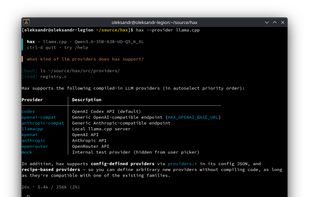
A minimalist, terminal-native coding agent. A single native C binary that uses a few MBs of RAM. Local models are first-class via llama.cpp and Ollama; also OpenAI, Anthropic, OpenRouter, and Codex.

Cost / License
- Free
- Open Source (MIT)
Application type
Platforms
- Mac
- Linux
- BSD
- FreeBSD
- Homebrew
- OpenBSD

Features

hax News & Activities
Highlights All activities
Recent activities
- April Dudley liked hax
- Vaneesa Lenz liked hax
 oleksandr_chekhovskyi added hax as alternative to Claude Code and Pi Agent
- Pilotdeck liked hax
- techtheist liked hax
- Kyle Stinson thinks Lightweight is a important feature of hax
- PriceProven PriceProven1 liked hax
I really appreciate this kind of minimalism. A fast, lightweight coding agent that simply works in the terminal without unnecessary layers is refreshing. Sometimes less really is more.
 Paul added hax as alternative to fx - Coding Agent


hax information
Developed by
 Oleksandr Chekhovskyi
 Licensing
Open Source (MIT) and Free product.Written in
Alternatives
9 alternatives listedBadge
Get an embeddable badge for haxSupported Languages

AlternativeTo Categories
AI Tools & Services, DevelopmentGitHub repository
- 822 Stars
- 52 Forks
- 13 Open Issues
- Updated


Comments and Reviews
I really appreciate this kind of minimalism. A fast, lightweight coding agent that simply works in the terminal without unnecessary layers is refreshing. Sometimes less really is more.