Harness Studio
A free, open-source app to discover, run, and use AI models on your own computer, with hardware-aware recommendations, easy setup, and advanced controls when needed.

Cost / License
- Free
- Open Source (MIT)
Platforms
- Windows
- Mac
- Linux


Features
Properties
- Lightweight
- Privacy focused
- Distraction-free
- Local-First
- AI-Powered
Features
- Live Preview
- Spell Checking
- No registration required
- Text to Speech
- No Coding Required
- Text to Image Generation
- Marketing Automation
- Ad-free
- Works Offline
- Dark Mode
- Image to Image Generation
- No Tracking
- AI Writing
- GPU Monitoring
- Performance Monitoring
- Workflow Automation
- Image recognition
- Model Context Protocol (MCP) Support
- AI Chatbot
- GPU Acceleration
- Speech Transcription
- OpenAI Integration
- Speech to text
- Auto Update
- Speech Recognition
- Image generator
- Local AI
- Chat with documents
Tags
- Chat without Internet
- ai-tools-for-video-generation
- AI Image Generator
- AI Agent
- Machine Learning
- retrieval-augmented-generation
- multimodal
- Built-in MCP Server
- llm-server
- Image Classification
- Claude
- offline-ai
- automatic-configuration
- MCP Servers
- Custom AI Chatbot
- ai-model-manager
- image-inpainting
- ai-model-runner
- Artificial intelligence
- image-generation
- Api
- on-device-ai
- AI Chat
- AI Assistant
- image-captioning
- OpenAI
- Large Language Model (LLM)
- hugging-face
- visual-question-answering
- mcp-gateway
- llm-inference
- local-llm
- AI Image Editor
- local-ai-agents
- llm-benchmarks
- inference-engine
- llm-evaluation
- MCP Security
- llm-gateway
- ai-model-downloader
- ai-tool
- computer-vision
- ai-model-integration
- AI Coding Assistant
- chat-with-pdf
- open source
- Llama CPP
- ChatGPT
- ai-video-generation
- hardware-detection
- gguf
- MCP Client
- ai-model-management
- text-to-video
- object-detection
- LLM Training
- document analysis
- ai-tools-services
- Automation
- video-synthesis
- MCP Server Management
- self-hosted-ai
- open-source-projects
- AI Video Generator
- document-ai
- ai-tools-directory
- Private AI
- Google Gemini
- MCP Integration
- llm-observability
- Generative AI
Harness Studio News & Activities
Recent activities
Harness Studio information
Licensing
Open Source (MIT) and Free product.Written in
Alternatives
0 alternatives listedBadge
Get an embeddable badge for Harness StudioSupported Languages
- English
- Turkish
AlternativeTo Categories
AI Tools & Services, Photos & Graphics, Development, Social & Communications, System & Hardware, OS & UtilitiesGitHub repository
- 10 Stars
- 2 Forks
- 0 Open Issues
- Updated
What is Harness Studio?
Harness Studio is a free, open-source desktop application that makes running and using AI models on your own computer easier and more accessible. Designed for both beginners and experienced users, it brings AI model discovery, setup, management, and everyday use together in one application.
Get started without technical knowledge
Harness Studio detects your computer's hardware, helps you discover AI models through Hugging Face, recommends models suitable for your system, and automatically adjusts important settings for better compatibility and resource usage. Its guided setup and Simple interface make local AI accessible without requiring command-line experience.
More than just an AI chatbot
With Harness Studio, you can:
- Chat with AI models directly on your computer.
- Work with documents, ask questions, and find information using local document search.
- Understand images using compatible vision models.
- Generate and process images using supported models.
- Transcribe speech, generate spoken audio, and explore other audio capabilities.
- Access supported video and multimodal AI workflows.
- Create custom AI tools and extend what your models can do.
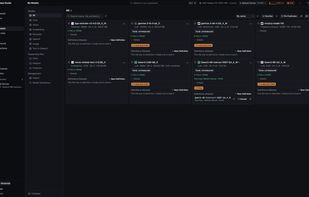
- Download, organize, manage, and switch between different AI models.
Some capabilities require additional models or optional inference engines.
Simple when you want it, powerful when you need it
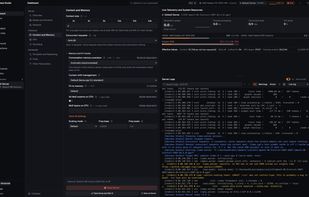
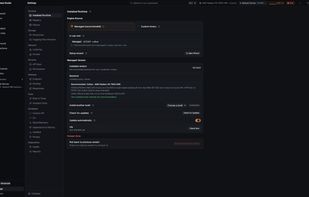
Harness Studio offers both Simple and Advanced interface levels. Beginners can focus on finding models and using AI, while experienced users can access detailed model configurations, performance monitoring, runtime management, multiple servers, automation tools, and developer integrations.
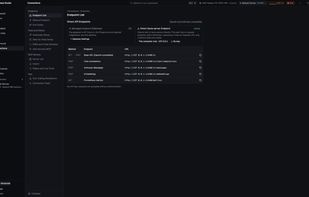
It also supports MCP, local API endpoints, and integrations with coding assistants and other AI applications.
Private, local, and open source
Harness Studio prioritizes local processing, allowing supported models and workflows to operate without sending data to external AI services. Online features and optional external connections remain available when needed.
The application is free, MIT-licensed, and available for Windows and macOS, with Linux support currently in preview.


No comments or reviews, maybe you want to be first?