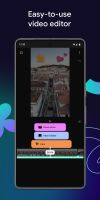
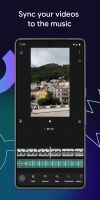
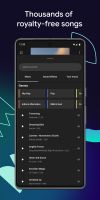
YouTube's official editing app, offering a range of features such as filters, effects, royalty-free music, voiceover, auto-captions & more, to enhance your videos without complex editing tools.


GrepCut Studio is described as 'GrepCut is a video editor designed for users who are frustrated with paywalls at the export button. It operates in any modern browser and as a native Windows app, without adding a watermark on your video. The free plan allows unlimited exports up to 4K at 60 FPS' and is a Video Editor in the video & movies category. There are more than 50 alternatives to GrepCut Studio for a variety of platforms, including Windows, Mac, iPhone, Android and Linux apps. The best GrepCut Studio alternative is Kdenlive, which is both free and Open Source. Other great apps like GrepCut Studio are Shotcut, Avidemux, OpenShot and DaVinci Resolve.
YouTube's official editing app, offering a range of features such as filters, effects, royalty-free music, voiceover, auto-captions & more, to enhance your videos without complex editing tools.


Leverages multitrack timeline editing, built-in filters, effects, title templates, and stickers. Enhance video with audio tools, slow motion, and stabilize clips. Fast export to popular formats, upload directly to YouTube, Vimeo, and Google Drive.


LightCut is an AI-powered video editing app with awesome templates and effects that help you create stylish videos and vlogs with ease. Try the AI video editor for unique videos with just a tap, or the Inspire Cam feature, which lets you shoot like a pro.


VN, a professional mobile video editor, allows you to become a director of your own life via VN video editor maker. Simple, but powerful as desktop editor, VN is suitable for both beginners and professional users.


Non-linear editor for Windows supporting HD, 4K, and 360 video, unlimited tracks, advanced effects, multi-camera editing, screen recording, stop motion, enhanced keyframe controls, audio layering, split screen, selective color, and disc or web export.


LumaFusion offers powerful features and an elegant UI. The simple-start timeline gives new users an intuitive head start, and professionals will find all the powerful features they need.


Consumer video editing software offering AI-powered automation, beginner-friendly guided edits, creative effects, easy trimming and merging, media organization, movie and collage creation, social sharing, mobile and web access, and support for Windows and Mac.


Comprehensive AI tool for video, image, audio enhancement, offering remastering, upscaling, various conversions, and basic editing, powered by GPU acceleration, for HD/4K HDR content from devices like iPhone, GoPro, and more.


Video editor featuring AI-driven tools like video enhancement, speech to text, and motion tracking. Includes custom avatars, professional titles, templates, and stock content for creative projects.


This entry-level video editor offers a user-friendly drag-and-drop interface supporting various file types, advanced customization options with presets, keyframe animations for effect modulation, and features such as multicam support, storytelling tools, and more.

Comprehensive video-editing software enabling HD and standard-definition movie creation with intuitive editing tools, advanced creative control, and seamless sharing on social media, mobile devices, and disc formats for both beginners and experts.