GNOME Terminal Alternatives

GNOME Terminal is described as 'Terminal emulator for the GNOME desktop environment written by Havoc Pennington and others. Terminal emulators allow users to execute commands using a real UNIX shell while remaining on their graphical desktop' and is a very popular terminal emulator in the os & utilities category. There are more than 50 alternatives to GNOME Terminal for a variety of platforms, including Linux, Mac, Windows, BSD and Android apps. The best GNOME Terminal alternative is Ghostty, which is both free and Open Source. Other great apps like GNOME Terminal are Tabby, Termux, Windows Terminal and PowerShell.

Copy a direct link to this comment to your clipboard
GNOME Terminal alternatives page was last updated

Alternatives list

  1. Extraterm icon
     8 likes

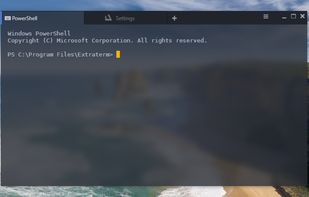
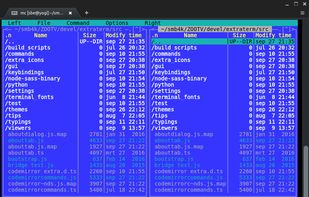
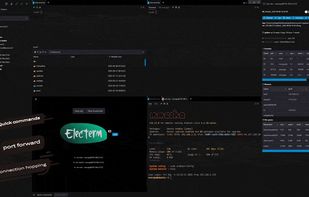
    Extraterm is more than just a traditional terminal emulator. It provides a toolbox for working with your terminal and command line applications, allowing you to capture and reuse previous command output across your terminal sessions, preview images and rich media directly, and...

    Cost / License

    • Free
    • Open Source (MIT)

    Application type

    Platforms

    • Mac
    • Windows
    • Linux
    • Cygwin
    • AppImage
    • Typescript
     
    |
    1
    Extraterm vs GNOME Terminal Comments
    PavelR
    Positive
    0

    Version 0.69 crashes on Windows 10 almost every time. When it didn't crash, mouse support for console applications wasn't working.

    • Extraterm is Free and Open SourceGNOME Terminal is also Free and Open Source
  2. MATE Terminal icon
     4 likes

    MATE Terminal is a terminal emulator for the MATE desktop environment. Terminal emulators allow users to execute commands using a real UNIX shell while remaining on their graphical...

    Cost / License

    • Free
    • Open Source

    Application type

    Platforms

    • Linux
    • BSD
    • FreeBSD
    • OpenIndiana
    • GhostBSD
     
  3. Terminology icon
     18 likes

    Terminology is a terminal emulator for e17.

    What does it do?

    It emulates a slightly extended vt100 with some extensions and bling thrown in.

    Most escapes supported by xterm, rxvt etc. work Xterm 256 color escapes work Backgrounds (bitmap, scalable/vector, animated.

    37 Terminology alternatives

    Cost / License

    • Free
    • Open Source

    Application type

    Platforms

    • Linux
    • BSD
     
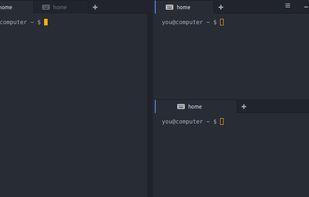
  4. Terra is a GTK+3.0 based terminal emulator with useful user interface, it also supports multiple terminals with splitting screen horizontally or vertically.

    Cost / License

    • Free
    • Open Source

    Application type

    Alerts

    • Discontinued

    Platforms

    • Linux
     
  5. ddterm icon
     2 likes

    Drop down terminal extension for the Gnome desktop environment.

    Cost / License

    Application type

    Platforms

    • Linux
    • FreeBSD
     
  6. LilyTerm icon
     5 likes

    LilyTerm: light, but functional terminal emulator LilyTerm is a terminal emulator based off of libvte that aims to be fast and lightweight, Licensed under GPLv3.

    Features:

    1. Low resource-consumption -- No additional library required -- Supports "Single Instance Application.

    Cost / License

    • Free
    • Open Source

    Application type

    Platforms

    • Linux
     
  7. MacTerm icon
     7 likes

    MacTerm (was MacTelnet) on OS X is now a complete replacement for Terminal, allowing access to both local and remote applications.

    Cost / License

    • Free
    • Open Source

    Application type

    Platforms

    • Mac
     
  8. Fluent Terminal icon
     10 likes

    Terminal emulator based on UWP and web technologies.

    Cost / License

    • Free
    • Open Source

    Application type

    Platforms

    • Windows
     
    |
    1
    Fluent Terminal vs GNOME Terminal Comments
    PavelR
    0

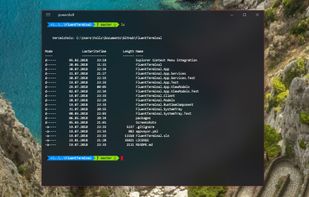
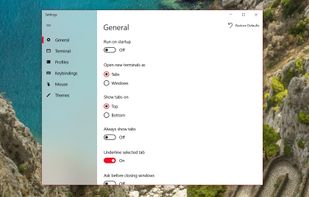
    Fluent Terminal has tabs but no tiles, just like GNOME Terminal. The configuration GUI is good. Unfortunately, mouse reporting to the application is not working. Selecting text by the mouse with Shift is not working. The mouse cursor over the windows shows as a thin vertical line that is hard to spot.

    • Fluent Terminal is Free and Open SourceGNOME Terminal is also Free and Open Source
    • Fluent Terminal is CustomizableGNOME Terminal is not according to our users
  9. Deepin Terminal is a terminal manager developed by deepin team that can freely split window according to users requirements with horizontal and vertical screen split supported. It allows users to do terminal settings of fonts and colors changing, background pictures...

    Cost / License

    • Free
    • Open Source

    Application type

    Platforms

    • Linux
    • KDE
    • Deepin
     
  10. Another Term icon
     2 likes

    SSH / Telnet / UART dongles (USB and Bluetooth) / own PTY client for Android.

    Cost / License

    • Free
    • Open Source

    Application type

    Platforms

    • Android
     
  11. upterm icon
     22 likes

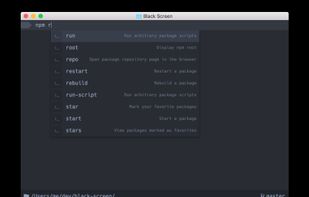
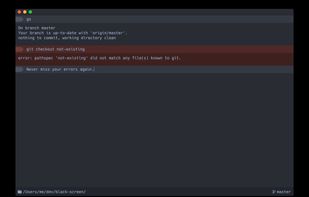
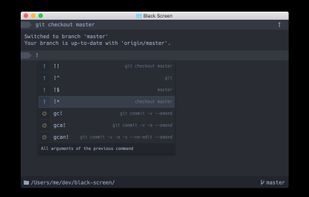
    A terminal emulator for the 21st century. (formerly) Black Screen is a terminal emulator and interactive shell with auto-completion.

    Cost / License

    • Free
    • Open Source (MIT)

    Application types

    Alerts

    • Discontinued

    Platforms

    • Mac
    • Linux
    • Electron / Atom Shell
     
  12.  2 likes

    Based on rxvt. Tabbed interface. Very lightweight. Few dependencies. Only drawback is poor unicode support (theres an SVN branch with working but slightly buggy support)

    Cost / License

    • Free
    • Open Source

    Application type

    Alerts

    • Discontinued

    Platforms

    • Linux
     
You are at page 4 of GNOME Terminal alternatives