FSRdp – Self-hosted screen sharing and remote support for Windows, Linux and Raspberry-PI
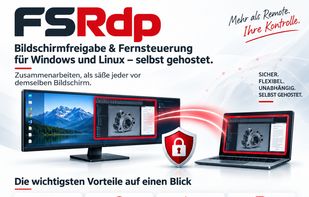
FSRdp is a self-hosted platform for screen sharing, remote support and online meetings. It is built for companies and service providers who want to help customers or work with colleagues without handing their data to a third-party cloud. The server runs on your own infrastructure as a Windows or Linux service, even on a Raspberry Pi, and all connections are TLS-encrypted.
Rooms and moderation
Participants meet in virtual rooms. Supporters with a license key open rooms, reserve permanent room names and protect them with a PIN or password. Room owners can mute participants, remove disruptive ones with a temporary ban and decide whether browser guests may watch, chat or speak.
Screen sharing and remote control
Any participant can share their screen or a selected area. FSRdp sends only the parts of the screen that changed, which keeps bandwidth low and the picture sharp. The sharer can hand over mouse, keyboard and clipboard to one participant and take control back at any time. FSRdp supports ultra-wide screens.
Voice, cameras and chat
Built-in voice chat lets everyone talk, with echo cancellation on Windows. Cameras appear as tiles with name, language and a live microphone level, so you always see who is speaking and whose audio is off. The chat supports private messages via @mentions, typing indicators, images and file transfers of up to 2 GB with integrity checks.
Live subtitles and translation
With a single switch, the room owner turns on live subtitles. Speech is transcribed and translated into each participant's language within moments, so an international team can follow the conversation without a common language. Chat messages can be translated as well, while code and links stay untouched. Transcripts are never stored on the server. An OpenAI subscription is required.
Recording
Licensed supporters can record a session locally as an MP4 video, with picture and sound. The transcript and the chat, including images, are saved alongside. All participants are clearly notified while recording or subtitles are active.
Clients for every situation
Native clients are available for Windows and Linux (x64 and ARM64) with automatic updates. Guests simply open a link in their browser on a PC, tablet or smartphone and join within seconds. The web viewer is available in English and German and uses no cookies or third-party resources.
Licensing
Each installation runs under a digitally signed license that sets rooms, participants, supporter keys and optional features. Administrators can block or time-limit individual supporter keys themselves, without a new license. A 30-day trial and an optional demo mode make it easy to evaluate FSRdp before buying.






 EU
EU


 Fischbacher Software


No comments or reviews, maybe you want to be first?