FreeSnap Alternatives
FreeSnap is described as 'Ever try to size a window so it just touches the edge of the screen? It’s tedious (at least for me). FreeSnap allows you to instantly resize any window edge to the corresponding screen edge. Want that window to touch the right edge of the screen?' and is a Window Manager in the os & utilities category. There are more than 25 alternatives to FreeSnap for Windows, PortableApps.com, Linux, File Explorer and X11. The best FreeSnap alternative is AquaSnap, which is free. Other great apps like FreeSnap are WindowGrid, Sizer, RBTray and GridMove.
Alternatives list
Plumb is designed to reduce the time spent manually moving windows on your desktop. With higher resolution and larger monitors becoming the norm it’s common to have several applications open at any given time — none of which really need 100% of the screen.


+2
Dims all windows except the active one.
Features:
- Place a transparent image across the screen.
- Highly configurable.

The Wonderful Icon is a small Windows utility that resides in your PC's taskbar tray. With it, you can:
Cost / License
- Free
- Proprietary
Platforms
- Windows

WinLayout is a program with keyboard hotkeys to move, resize, and snap windows all around the desktop area.

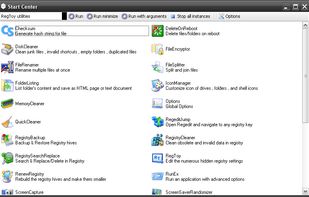
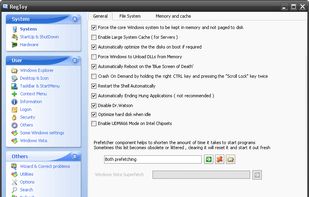
Registry Tweaking, Services Manager, Startup Manager, Registry Backup, Renew Registry, Registry Cleaner, Registry Search & Replace, Window Manager, Tray Icon Manager, Shell Context Menu Extension, Screen Capture, Shutdown Scheduler, Wallpaper Changer, Screen Saver...


WinSize2 can move windows automatically to a predefined place and / or resize the width and/or height to a predefined size.


+2
Taekwindow is a simple, lightweight and free Windows program that allows you to move and resize windows by dragging them with the Alt key, similar to many X11 window managers.

A lightweight utility for allowing you to quickly snap windows to a tiling grid under your existing Linux window manager. Can be triggered via keyboard shortcuts, the command line, or D-Bus calls.
Chameleon Window Manager will allow you to control the windows of your programs using customizable buttons added to the title bars of the windows (Always on Top, Minimize to Tray, Minimize to Caption, Specify Transparency, Position window at left/right of screen).
Cost / License
- Freemium
- Proprietary
Platforms
- Windows
- Windows Explorer


+4
Sometimes a lot of deskop clutter can hide a window (eg, open file, programs, files-explorer, dialogs)