


FreeFileSync
636 likes
Open-source software for syncing and backing up files across Windows, macOS, and Linux by transferring only essential data.
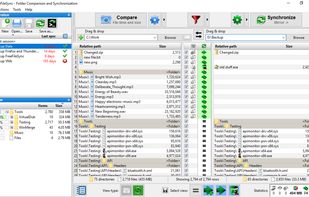

Cost / License
- Freemium (Subscription)
- Open Source
Application typeApplication types
 EU
EUPlatforms
- Mac
- Windows
- Linux
- Flathub
- PortableApps.com
- Chocolatey


Features

Highlights All activities
FreeFileSync News & Activities
Recent News
- Paul published news article about FreeFileSync

Recent activities
 Blober added FreeFileSync as alternative to Blober
 Bruno Courbage added FreeFileSync as alternative to Unison UI for macOS
- David-Blakes liked FreeFileSync
 ProtagonistLabs added FreeFileSync as alternative to Backup Labs
 lucixdev added FreeFileSync as alternative to GEMINUS
- Sebastian liked FreeFileSync
 Georgios-Kapellakis added FreeFileSync as alternative to blitcp
- Mauricio B. Holguin added FreeFileSync as alternative to Fast-Backup
- Gatril Studio liked FreeFileSync
- madeingo liked FreeFileSync





The Windows setup for everyone (with freeware only) Will make Windows suck less
This is the apps for Windows 11 that I would recommend to anyone who just got a PC !
The same list for
macOS :
Linux kernel (GUI apps only) :



Windows Apps
Useful apps for Windows
Additional resources:
https://www.softpedia.com/
https://www.majorgeeks.com/



Windows - Privacy, Security, Open Source
This is a list that prefers open-source and lightweight Windows applications. A few partially open-source or proprietary applications may be added if there are no great alternatives.
Read the descriptions, as I wrote most of them, which gives advice on similar apps or other things to take into account.
Comment at the bottom if you believe anything should be updated or have any questions.
Official Links
Install from the command line
brew install --cask freefilesyncflatpak install flathub org.freefilesync.FreeFileSync
Developed by
 Zenju
Zenju Licensing
Open Source and Freemium product.Pricing
Subscription that costs $2 per month + free version with limited functionality.Rating
Average rating of 4.2Alternatives
122 alternatives listedBadge
Get an embeddable badge for FreeFileSyncSupported Languages


Comments and Reviews
Good news: version 10.0, released on April 27 2018, no longer includes ads in the installer. Previous versions used to bundle optional software that was checked by default.
Yes, and the provider/developer begs for a donation instead. That seems quite fair to me, and in my opinion, if the users find the software useful, they should donate an amount of their choice.
Portable use of the application is possible only after you purchase it.
Rock-solid basic functionality. Must have for anyone with a server, camera, music collection, or any other mass of data to manage and backup. Of the apps I use, this is one of the most pleasant and hassle-free; well worth a donation but very usable without. Areas for improvement: In-app folders for saved configurations, in-app filter definitions, non-Windows documentation, keyboard shortcut for Preview on Mac (or full shortcut customization), UI overhaul (for casual users), and maybe rethinking self-labeling as open-source without community development. Parallel operations could also be explained more intuitively, especially in regards to USB devices.
Good software, confusing license. The software is easy to configure and is ok for daily use.
However, claiming it is open source under the GPLv3 is not compatible with non personnal use being forbidden unless a license fee is paid. If the source is truly provided (what is provided ?), users can recompile it and use it as they please within the terms of the GPLv3. Additional conflicting terms can be removed.
Great program, have used it from a long time. Worth a donation to the dev.
I've been using this for ages! It's a great app.
Somehow i find myself using this daily. At first all i wanted was a backup tool that does plain file backups on a timer, which FFS is good for. But then i started using it for just any large file transfer. You get more options than file manager drag-and-drop: interrupt and resume with no problem, shut down or sleep when done, granular comparison between the folders, and comparison based on file content, which would probably catch and fix data corruption (although i haven't had that happen yet). It worked perfectly with my NAS too. The only thing i don't like is some questionable UI choices: the graphic showing transfer rates is unique but not super useful, and the display of folder comparison can be confusing. Many thanks to the devs!
Ditto! I'm in the process of wrangling the many hard drives, thumb drives, and google accounts I used in school and I could not do it without FFS. I had to use FFS in combination with dupeguru and temporary folders to get some of the comparison tools I wanted (especially for recursive/folder tree agnostic comparison) but this ended up working where I otherwise would have needed $100 proprietary software or much more advanced or dated FOSS tools.