TechSmith Capture provides a simple, free way to create basic screenshots and screen recordings and share them with others.


FireShot is described as 'Capture full web page screenshots in Firefox, Chrome, Opera, Pale Moon or Internet Explorer Quick screenshots and annotations!' and is a screenshot capture tool in the photos & graphics category. There are more than 100 alternatives to FireShot for a variety of platforms, including Windows, Mac, Web-based, Google Chrome and Linux apps. The best FireShot alternative is ShareX, which is both free and Open Source. Other great apps like FireShot are Flameshot, Greenshot, Snagit and PicPick.
TechSmith Capture provides a simple, free way to create basic screenshots and screen recordings and share them with others.


Bug Shooting is the perfect tool for software developers as well as testers. Bug Shooting provides you an easy way to create screen captures and attach them to items of your bug tracking or issue management system, e.g.
Lightning fast and ultra elegant screenshot and annotation tool that does all you need without the bloat. Made for Mac and Windows.


iShot is an excellent, full-featured area screenshot, window screenshot, multi-window screenshot, long screenshot, shell screenshot, time-lapse screenshot, quick annotation, texture, color picking, screen recording, audio recording, OCR, screenshot translation tool on Mac .


Hotshots is a screenshot tool with some editing features. It is particularly suitable for writing documentation (as used in the following chapters) but you can use it to highlight some details on a map image or what ever you want.


ScreenSnag provides a quick and easy way to take a photo of your computer screen. Capture the entire screen, a region of the screen, a window, or an element on the window with a single hotkey or click. You can also use Timer option to perform captures at intervals that you...


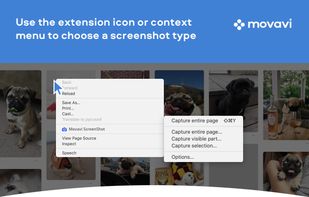
The simplest way to take a full page screenshot of your current browser window. Click on the extension icon (or press Alt+Shift+P), watch the extension capture each part of the page, and be transported to a new tab of your screenshot where you can download it as an image or PDF...


Taking screenshots with Shotty is so natural and easy, you just have to try it. Edit them in minimalistic editor and the upload them with one click. Focusing on simplicity and usability, this tool is probably the most intuitive screenshot utility out there.


Cropper is a screen capture utility written in C#. It makes it fast and easy to grab parts of your screen. Use it to easily crop out sections of vector graphic files such as Fireworks without having to flatten the files or open in a new editor.