You grab Screens or Windows using the standard PrtScn and Alt-PrntScn keys and MGrab will intercept the saved data as it is sent to the clipboard and put it into your chosen folder as a BMP or JPG file leaving the clipboard free for you to take another screenshot.
FireShot Alternatives
FireShot is described as 'Capture full web page screenshots in Firefox, Chrome, Opera, Pale Moon or Internet Explorer Quick screenshots and annotations!' and is a screenshot capture tool in the photos & graphics category. There are more than 100 alternatives to FireShot for a variety of platforms, including Windows, Mac, Web-based, Google Chrome and Linux apps. The best FireShot alternative is ShareX, which is both free and Open Source. Other great apps like FireShot are Flameshot, Greenshot, PicPick and Snipping Tool.
Alternatives list
SnipSnip is a screen capture utility, designed for easy capture of some or all of your screen(s). It also allows you to do simple tasks like resizing, cropping and drawing on the capture.


QuickScreenshot is a lightweight and very easy to use application that enables you to take screenshots of your desktop with a few mouse clicks. Just press the wanted screenshot key (or press it multiple times) and your screenshots are done!

FlyScreen is a powerful screenshot manager for iOS. Search your screenshots, copy text and links, organize by tags, and more.


Uploading images and screenshots from home page or from your dashboard. Offers a 50 MB upload limit for guests and a 100 MB upload limit for registered users. Offers 11 GB of free storage space for registered users.
Cost / License
- Free
- Proprietary
Application type
Platforms
- Online
- Self-Hosted
- Software as a Service (SaaS)

JetFolder is the most popular Self-Hosted alternative to FireShot.
- JetFolder is Free and Proprietary
Small and free screenshot app for Mac that offers custom area and resolution presets, and much more.


+1
Automatic screenshot taker/automatic screen capture program. Have it take a screenshot every X seconds, and not only have the screenshots saved to disk, but also have them e-mailed, uploaded to a web server via FTP, and uploaded to an ImageShack account.

Cost / License
- Free
- Proprietary
Application type
Alerts
- Discontinued
Platforms
- Windows


+4


+1
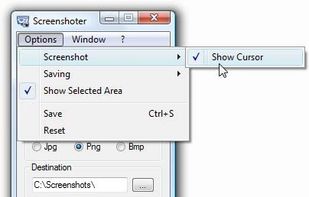
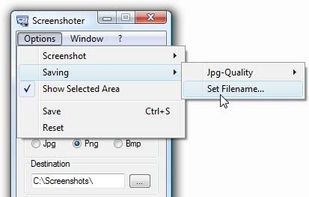
This is just a screen-capture toy, nothing more. If you don't know how to take screenshots with the system functions, use this tool :-).