Finder Alternatives

Finder is described as 'The Finder is the first thing that you see when your Mac finishes starting up. It opens automatically and stays open as you use other apps. It includes the Finder menu bar at the top of the screen and the desktop below that' and is a popular File Manager in the file management category. There are more than 100 alternatives to Finder for a variety of platforms, including Windows, Mac, Linux, Android and Android Tablet apps. The best Finder alternative is Double Commander, which is both free and Open Source. Other great apps like Finder are Total Commander, Files, Spacedrive and Dolphin File Manager.

Copy a direct link to this comment to your clipboard
Finder alternatives page was last updated

Alternatives list

  1. STDU Explorer icon
     4 likes
    Copy a direct link to this comment to your clipboard

    STDU Explorer is a piece of software that offers you the opportunity to work with image files (support psd, bmp, png, gif, pcx, jpeg, wmf formats) and e-books in DjVu, PDF, FB2, JBIG2, XPS, DCX, WWF, PDB, CBR and CBZ formats.

    Cost / License

    • Free
    • Proprietary

    Application type

    Alerts

    • Discontinued

    Platforms

    • Windows
     
  2. Copy a direct link to this comment to your clipboard

    Xenon File Manager Portable is a file manager specifically designed to work from a USB drive.

    Cost / License

    • Free
    • Open Source

    Application type

    Alerts

    • Discontinued

    Platforms

    • Windows
     
  3. TreeTerm icon
     2 likes
    Copy a direct link to this comment to your clipboard

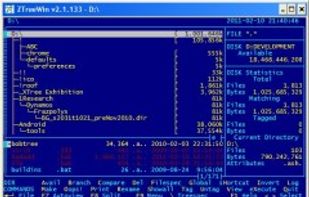
    TreeTerm is a combination of a file manager and a terminal emulator. The directory you select in the directory tree is the working directory of the terminal-pane (and the other way around). You never have to 'cd' to your working directory anymore.

    Cost / License

    • Pay once
    • Proprietary

    Application type

    Platforms

    • Mac
     
    |
    1
    Comments about TreeTerm as an Alternative to Finder
    Guest
    Positive
    0

    It has a treeview of directories that syncs with the fileview

    Review by a new / low-activity user.
    Finder Icon
    TreeTerm icon
    • TreeTerm is Paid and ProprietaryFinder is Free and Proprietary
  4. Magican File icon
     2 likes
    Copy a direct link to this comment to your clipboard

    Magican File is a professional program for Mac OS X that let you search and manage files on your disks.

    Cost / License

    • Free
    • Proprietary

    Application type

    Alerts

    • Discontinued

    Platforms

    • Mac
     
  5. Tux Commander icon
     15 likes
    Copy a direct link to this comment to your clipboard

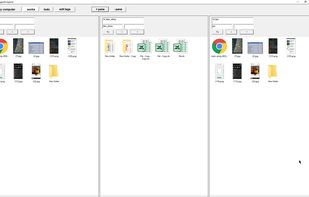
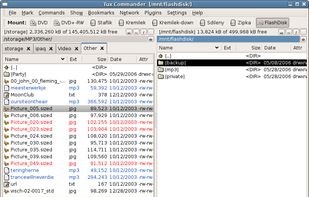
    Tux Commander is a windowed file manager with 2 panels side by side similar to Double Commander, Total Commander or Midnight Commander.

    Cost / License

    • Free
    • Open Source

    Application type

    Alerts

    • Discontinued

    Platforms

    • Linux
    • Xfce
     
  6. cryo icon
     4 likes
    Copy a direct link to this comment to your clipboard

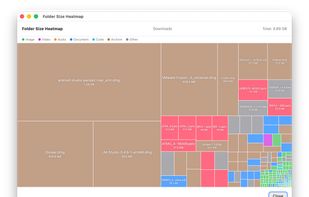
    cryo is a visual file manager with free encrypted peer to peer file transfer capabilities and dual-pane mode.

    Cost / License

    • Freemium (Pay once)
    • Proprietary

    Application type

    Alerts

    • Discontinued

    Platforms

    • Mac
    • Windows
    • Linux
     
  7. Copy a direct link to this comment to your clipboard

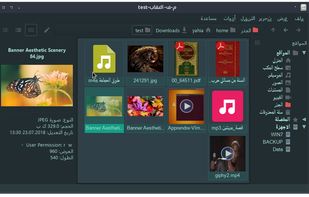
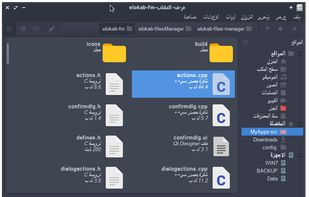
    File manager for Liri OS.

    Cost / License

    • Free
    • Open Source

    Application type

    Platforms

    • Linux
    • Qt
     
  8. Copy a direct link to this comment to your clipboard

    Rename, move, copy, delete, and otherwise manage multiple files. Rename multiple files according to the rules and pattern you specify using powerful editor with syntax highlighting. Copy, move files to folders specified using absolute/relative paths.

    Cost / License

    • Paid
    • Proprietary

    Application types

    Platforms

    • Windows
     
  9. Copy a direct link to this comment to your clipboard

    Files is a free app for managing files on your Windows Phone. By using this app you can: • Access files stored on your phone and SD card • Browse, search and launch files • Easily share one file or multiple files • Create folders to organize your files • Copy, move, rename and d.

    Cost / License

    • Free
    • Proprietary

    Application type

    Alerts

    • Discontinued

    Platforms

    • Windows Phone
     
  10. Liquifile icon
     6 likes
    Copy a direct link to this comment to your clipboard

    An innovative visual file browser that makes huge amounts of data (be it music, video or documents) easily browsable and searchable. It does this by plotting data in 2D and other usability simplifications.

    Cost / License

    • Free
    • Proprietary

    Application type

    Platforms

    • Mac
     
  11. WindowTabs icon
     25 likes
    Copy a direct link to this comment to your clipboard

    Adds tabbed browsing to desktop windows, letting users drag, group, and organize application windows into tabbed sets for improved multitasking, navigation, and clutter reduction. Works with most Windows programs and supports both open source and original features.

    34 WindowTabs alternatives

    Cost / License

    • Free
    • Open Source

    Platforms

    • Windows
     
  12. Copy a direct link to this comment to your clipboard

    Immersive Explorer is an open source alternative to the default file explorer included in Windows (known as Windows Explorer).

    Cost / License

    • Free
    • Proprietary

    Platforms

    • Windows
     
You are at page 11 of Finder alternatives