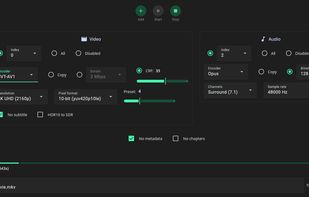
FFMPEG UI Alternatives

FFMPEG UI is described as 'A user interface to quickly and easily convert media files using FFMPEG behind the scenes' and is a Video Converter in the video & movies category. There are more than 50 alternatives to FFMPEG UI for a variety of platforms, including Windows, Mac, Linux, Web-based and BSD apps. The best FFMPEG UI alternative is HandBrake, which is both free and Open Source. Other great apps like FFMPEG UI are FFmpeg, fre:ac, File Converter and Shutter Encoder.

Copy a direct link to this comment to your clipboard
FFMPEG UI alternatives page was last updated

Alternatives list

  1. OggConvert icon
     13 likes
    Copy a direct link to this comment to your clipboard

    OggConvert is a small Gnome utility that uses GStreamer to convert media files to the licence-free Theora, Dirac and Vorbis formats.

    Cost / License

    • Free
    • Open Source

    Alerts

    • Discontinued

    Platforms

    • Mac
    • Windows
    • Linux
     
  2. FFQueue icon
     4 likes
    Copy a direct link to this comment to your clipboard

    FFQueue is (yet another) graphical user interface for FFMpeg with comprehensive support for both the basic features but also the more advanced features like filtergraphs.

    67 FFQueue alternatives

    Cost / License

    • Free
    • Open Source

    Platforms

    • Windows
    • Linux
     
  3. Subler icon
     17 likes
    Copy a direct link to this comment to your clipboard

    Subler is a Mac OS X application that opens media containers, allows you to add or remove media tracks inside them, and then saves them out again. In the specialized language of the video world, Subler is a “transcoder” or “demuxer” depending on how you use it.

    39 Subler alternatives

    Cost / License

    • Free
    • Open Source

    Platforms

    • Mac
     
  4. iFlicks icon
     17 likes
    Copy a direct link to this comment to your clipboard

    iFlicks is the best and most complete video and metadata handling solution available for macOS. There is no easier way to add you video files to iTunes or Plex, so you can watch them on your iOS devices or third party media players.

    29 iFlicks alternatives

    Cost / License

    • Pay once or Subscription
    • Proprietary

    Platforms

    • Mac
     
  5. Copy a direct link to this comment to your clipboard

    iWisoft Free Video Converter can fast convert videos between all popular formats like AVI, MPEG, WMV, DivX, XviD, MP4, H.264/AVC, AVCHD, FLV, MKV, RM, MOV, 3GP, and audio MP3, WMA, WAV, RA, M4A, AAC, AC3, OGG.

    Cost / License

    • Free
    • Proprietary

    Application type

    Platforms

    • Windows
     
  6. convertr.xyz icon
     1 like
    Copy a direct link to this comment to your clipboard

    Building convertr.xyz which currently supports Video and Audio for now and is free currently for unlimited usage. Any reviews are greatly appreciated.

    Cost / License

    • Free
    • Proprietary

    Platforms

    • Online
     
  7. Curlew icon
     7 likes
    Copy a direct link to this comment to your clipboard

    Simple video converter.

    Cost / License

    • Free
    • Open Source

    Application type

    Alerts

    • Discontinued

    Platforms

    • Linux
     
  8. DocsPal icon
     8 likes
    Copy a direct link to this comment to your clipboard

    DocsPal is a free online file converter. Convert your files online, instantly and for free: documents, video, audio, images, e-books, archives. You can also view your document directly in our Viewer page. And there is no need to download any software.

    Cost / License

    • Free
    • Proprietary

    Platforms

    • Online
     
  9. Copy a direct link to this comment to your clipboard

    Panther is a free and open source program that you can use to encode your audio and video files from one format to the other. It has a simple user interface and should be very easy to get started with. It can even reduce the size of music files.

    Cost / License

    • Free
    • Open Source

    Alerts

    • Discontinued

    Platforms

    • Windows
    • Linux
     
You are at page 4 of FFMPEG UI alternatives