The core innovation: press and drag the menu bar icon downward to set a reminder time. A glowing line follows your cursor while a frosted-glass time card shows exactly when you'll be reminded. The further you drag, the later the reminder — from 1 minute up to 7 days.
KEY FEATURES
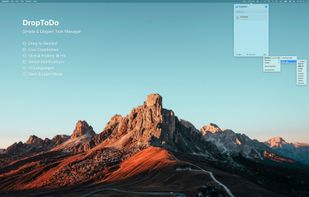
• Drag-to-Create — Hold the menu bar icon and drag down to instantly set a timed task. Distance maps to time with a fluid, satisfying animation.
• Global Hotkey — Press ?N anywhere on your Mac to pop up a quick input window. A reminder is set for 30 minutes by default.
• Live Countdown — See the countdown to your next task right in the menu bar, so you always know what's coming.
• Smart Reminders — Get system notifications when tasks are due. Set advance reminders (5, 10, 15, or 30 minutes early) and configure repeat alerts for overdue items.
• Task Management — Search, sort, and filter your tasks. See overdue items in red, upcoming ones in orange, and completed ones in green.
• Dark & Light Themes — Choose system-synced, light, or dark appearance. Every window adapts beautifully.
• Dock or Menu Bar Only — Hide the Dock icon and run as a pure menu bar app, or keep it visible with a badge showing your pending task count.
• 10 Languages — Switch languages at runtime without restarting: English, ????, ????, ???, ???, Français, Deutsch, Español, Italiano, ???????.
• Launch at Login — Optionally start automatically when you log in.
DESIGNED FOR MAC
Built with Swift, SwiftUI, and AppKit. Supports Apple Silicon and Intel Macs running macOS 14 Sonoma or later. Runs entirely in the background with minimal resource usage.
PERFECT FOR
• Quick follow-up reminders during work
• "Remind me in 2 hours" style tasks
• Time-boxed productivity sessions
• Anyone who wants faster access to task creation
DropToDo — The fastest path from thought to reminder.







 Tapfun Information Technology Co., Ltd.


No comments or reviews, maybe you want to be first?