
Docusign AlternativesTop E-signature Tools and other similar apps like Docusign

Docusign is described as 'An easy way for businesses and individuals to securely send and sign agreements from practically anywhere, at any time, from almost any device' and is a E-signature tool in the office & productivity category. There are more than 100 alternatives to Docusign for a variety of platforms, including Web-based, SaaS, iPhone, Android and iPad apps. The best Docusign alternative is DocuSeal, which is both free and Open Source. Other great apps like Docusign are SignRequest, DottedSign, DocHub and Adobe Acrobat Sign.

Copy a direct link to this comment to your clipboard
Docusign alternatives page was last updated

Alternatives list

  1. DocuSeal icon
     26 likes

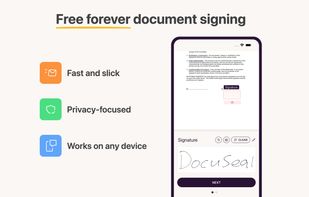
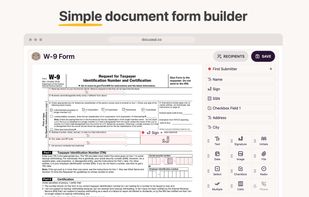
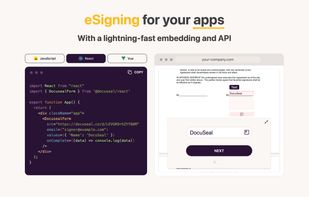
    DocuSeal allows you to create, fill, and sign digital documents. Use for free in the Cloud or on-premises. #1 Open source alternative to DocuSign, Pandadoc etc. Developer-friendly and can be integrated into apps.

    94 DocuSeal alternatives

    Cost / License

    Application type

    Platforms

    • Online
    • Self-Hosted
    • Cloudron
     
  2. SignRequest icon
     15 likes

    The affordable, secure and easy to use electronic signature solution. It's time to say goodbye to printers and scanners.

    Cost / License

    • Paid
    • Proprietary

    Application type

    Platforms

    • Mac
    • Windows
    • Linux
    • Online
    • Windows Mobile
    • Android
    • iPhone
    • Blackberry
    • Chrome OS
    • Android Tablet
    • Windows Phone
    • iPad
    • Zapier
    • Blackberry 10
    • Google Drive
    • Slack
    • Google Drive - Docs
    • Salesforce.com
     
    |
    6
    SignRequest vs Docusign Comments
    Top Positive Comment
    Paulo Coghi
    4

    10 free signs per month on free plan.

    Guest
    Positive
    0

    These are the reasons why I think SignRequest is the best of the free digital signature apps: (1) Most number (10) of documents per month, (2) Signature template is the easiest to use, very much like DocuSign's, and (3) The text field placeholders are well-formatted. The only minor issue I experienced was a small, barely noticeable, time lag between filling in text fields and the text appearing on the doc once the confirmation was pressed. Apart from that, HIGHLY RECOMMENDED.

    Guest
    Positive
    1

    its free version offers more than the others, and the paid version is also cheapest.

    3 of 6 comments
    • SignRequest is Paid and ProprietaryDocusign is also Paid and Proprietary
  3. DottedSign icon
     169 likes

    DottedSign is the most comprehensive and easy-to-adopt e-signature solution, offering businesses enterprise-level security standards, equipping them for mobile-first hybrid work environment.

    135 DottedSign alternatives

    Cost / License

    • Freemium
    • Proprietary

    Application type

    Platforms

    • Online
    • Android
    • iPhone
    • Android Tablet
    • iPad
     
    |
    1
    DottedSign vs Docusign Comments
    Paulo Coghi
    Positive
    0

    Has a free plan with up to 3 documents per month, text and date fields are available on the free plan as well, platform is easy and intuitive to use, excellent UI/UX, the email arrives instantly and its easy to sign, even on the smartphone. 5 stars.

    • DottedSign is Freemium and ProprietaryDocusign is Paid and Proprietary
  4. DocHub icon
     15 likes

    Provides a comprehensive platform for document editing, signing, and PDF form handling. Offers legally binding eSignatures, robust templates for organization, collaboration tools, and integration with cloud services, enhancing workflow efficiency.

    124 DocHub alternatives

    Cost / License

    • Freemium
    • Proprietary

    Application type

    Platforms

    • Online
    • Android
    • iPhone
    • iPad
    • Google Chrome
    • Google Drive
    • Dropbox
     
  5. Adobe Sign provides seamless e-signatures with real-time tracking, supporting offline features, in-person and mobile signing. Complies with laws like ESIGN and eIDAS, ensuring global trust. Integrates with cloud platforms, offering robust security with encryption and verification features.

    117 Adobe Acrobat Sign alternatives

    Cost / License

    • Paid
    • Proprietary

    Application type

    Platforms

    • Online
    • Android
    • iPhone
    • Android Tablet
    • iPad
     
  6. Adobe software for filling and signing forms digitally covers it all. Snap paper forms with a phone's camera, add details, sign with a stylus or finger, and then send via email. It’s all about speed, ease, and going green with paperless workflows.

    Cost / License

    • Free
    • Proprietary

    Application type

    Alerts

    • Discontinued

    Platforms

    • Android
    • iPhone
    • Android Tablet
    • iPad
     
  7. PandaDoc icon
     26 likes

    Streamlines document processes from creation to payment, supporting real-time collaboration with CRM integrations, secure e-signatures, and extensive compliance, enhancing team productivity with an 800% increase.

    Cost / License

    • Freemium
    • Proprietary

    Application type

    Platforms

    • Android
    • iPhone
    • Android Tablet
    • iPad
    • Software as a Service (SaaS)
     
  8. SignWell icon
     2 likes

    Simplify the document signing process and spend less time chasing signatures with SignWell’s legally-binding e-signature solution.

    Cost / License

    • Freemium
    • Proprietary

    Application type

    Platforms

    • Online
     
  9. UPDF Sign icon
     1 like

    UPDF Sign is an online tool for digitally signing PDF documents. It allows users to sign, send, and manage documents securely and efficiently. It uses legally-binding, certificate-based signatures, enabling documents to be sent, signed, and tracked securely from any device...

    Cost / License

    • Paid
    • Proprietary

    Application type

    Platforms

    • Online
    • Software as a Service (SaaS)
     
  10. OpenSign icon
     14 likes

    Open-source PDF e-signature solution featuring secure cryptographic signing, detailed audit trails with IP tracking, completion certificates, robust API, multi-device support, privacy-first team collaboration, and seamless document organization via dedicated drive functionality.

    Cost / License

    • Freemium
    • Open Source

    Application type

    Platforms

    • Self-Hosted
    • Software as a Service (SaaS)
     
    |
    4
    OpenSign vs Docusign Comments
    Guest
    Positive
    0

    Their UI is very intuitive.

    fred2024
    Positive
    0

    The UX is very user friendly and its very affordable.

    d4amit
    Positive
    0

    OpenSign is free and open source. It also has an API which can save us a lot of money.

    3 of 4 comments
    • OpenSign is Freemium and Open SourceDocusign is Paid and Proprietary
    • OpenSign is Privacy focusedDocusign is not according to our users
  11. Oneflow icon
     3 likes

    Oneflow is a digital contract software that transforms the outdated contract process into a wonderfully connected pre-sign, sign, and post-sign digital experience.

    Cost / License

    • Freemium
    • Proprietary

    Application type

    Platforms

    • Software as a Service (SaaS)
     
  12. Blueink icon
     Like

    Blueink is a digital platform for managing documents electronically at a cost 50% less than DocuSign. It offers features like security and compliance, mobile-friendly signing, premium support, and API integration.

    Cost / License

    • Paid
    • Proprietary

    Application type

    Platforms

    • Online
     
12 of 145 Docusign alternatives