





Document Library Pro
Like
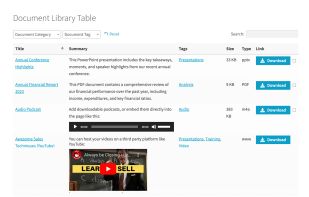
Document Library Pro lets you display documents, files and downloads in a searchable, filterable table or grid library that visitors can browse, preview and download, embeddable on any website or intranet.

Cost / License
- Subscription
- Proprietary
Application type
Platforms
- Wordpress
- Online
- Software as a Service (SaaS)


Features
Highlights All activities
Document Library Pro News & Activities
Recent activities
 Trilo Bita added Document Library Pro as alternative to Trilobita DocVault
- Katie Keith updated Document Library Pro
- Paul updated Document Library Pro
- Katie Keith added Document Library Pro
 Katie Keith added Document Library Pro as alternative to Microsoft SharePoint, Nuclino, BookStack, Google Workspace and 9 more


Developed by
 Barn2
Barn2 Licensing
Proprietary and Commercial product.Pricing
Subscription ranging between $15 and $20 per month.Alternatives
14 alternatives listedBadge
Get an embeddable badge for Document Library ProSupported Languages


No comments or reviews, maybe you want to be first?