DoCube (Venxu) icon
DoCube (Venxu) icon

DoCube (Venxu)

 1 like

Local-first document reader and personal knowledge base for PDFs, EPUBs, webpages, Markdown, and local videos on Mac, iPhone, and iPad.
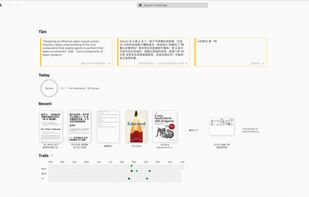
Home dashboard on macOS showing resurfaced quote annotations, daily spaced-repetition review queue, recent files, and reading activity heatmap.

Cost / License

  • Freemium (Pay once)
  • Proprietary

Application type

Since

  • Since 2025 (updated Nov 2026)

Platforms

  • Mac  Requires Apple silicon (M-series) Mac
  • iPhone
  • iPad
1like
0articles
Save

Features

Features

Highlights All activities

DoCube (Venxu) News & Activities

Recent activities

DoCube (Venxu) information

  • Developed by

    Hangzhou Wenxu Interactive Technology Co., Ltd.
  • First released

    2025
  • Licensing

    Proprietary and Freemium product.
  • Pricing

    One time purchase (perpetual license) ranging between $5 and $30 + free version with limited functionality.
  • Alternatives

    6 alternatives listed
  • Badge

    Get an embeddable badge for DoCube (Venxu)
  • Supported Languages

    • English
    • Chinese
    • German
    • French

AlternativeTo Categories

Office & Productivity, News & Books

Apple AppStore

  •   Updated 
  •   5 avg rating

Popular alternatives

View all
DoCube (Venxu) was added to AlternativeTo by DoCube on and this page was last updated .

No comments or reviews, maybe you want to be first?

Official Links

What is DoCube (Venxu)?

DoCube is a local-first personal knowledge base and multi-format document reader for macOS (Apple silicon), iPhone, and iPad. It stores PDFs, EPUB ebooks, saved web snapshots, Markdown notes, MinerU structured documents, and local video files in a single on-device library with optional iCloud sync across Apple devices.

Key features:

  • Unified reading and annotation across PDF, EPUB, saved webpages, Markdown, and video transcripts, supporting highlights, underlines, quotes, Markdown notes, and flashcards.
  • Deep location links (docube://) that open exact PDF passages, EPUB CFI positions, Markdown blocks, and video timestamps from internal notes or external Markdown editors such as Obsidian.
  • Offline full-text search and on-device semantic search across documents, annotations, and transcripts, along with on-device OCR for scanned PDFs and offline Whisper subtitle generation for local videos.
  • Side-by-side bilingual translation for reflowable documents (EPUB, HTML snapshots, and MinerU-parsed academic PDFs) using user-configured AI API keys.
  • Built-in spaced repetition review for flashcards and highlighted passages with direct navigation back to the source context.