Disk Recon Alternatives

Disk Recon is described as 'Disk space utility that reveals all the crucial information that you need to find out where all your disk space has gone and how you can recover it' and is a disk usage analyzer in the file management category. There are more than 50 alternatives to Disk Recon for a variety of platforms, including Windows, Mac, Linux, BSD and Flathub apps. The best Disk Recon alternative is WinDirStat, which is both free and Open Source. Other great apps like Disk Recon are WizTree, Baobab Disk Usage Analyzer, Filelight and TreeSize.

Copy a direct link to this comment to your clipboard
Disk Recon alternatives page was last updated

Alternatives list

  1. DaisyDisk icon
     116 likes

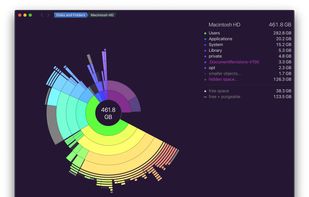
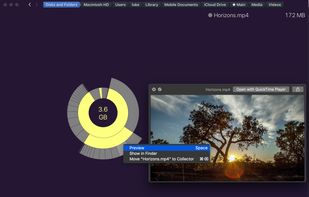
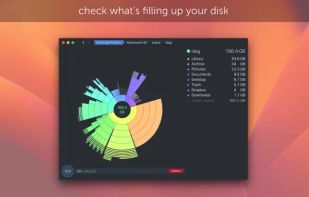
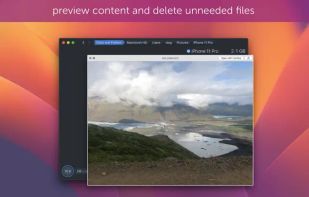
    Analyzes disk usage with an intuitive sunburst map, locating and previewing large or unused files across any mounted disk, with drag-and-drop management, fast scanning, real-time updates as files are removed, system integration, and support for various file systems.

    Cost / License

    • Paid
    • Proprietary

    Application type

    Platforms

    • Mac
     
  2. SpacePeek icon
     5 likes

    Native Quick Look add-on for macOS lets you preview folder size, largest files and subfolders, item counts, storage breakdown, and hidden files directly in Finder. On-demand, local scans ensure no cloud uploads or tracking, with upgrade for further folder inspection.

    Cost / License

    • Freemium
    • Proprietary

    Application type

    Platforms

    • Mac
     
  3. Space Radar icon
     13 likes

    SpaceRadar allows interactive visualization of disk space and memory. It currently supports Sunburst, Treemap, and Flamegraph charts.

    Cost / License

    • Free
    • Open Source (MIT)

    Platforms

    • Mac
    • Windows
    • Linux
    • Electron
    • Debian
    • AppImage
     
  4. SpaceMonger icon
     48 likes

    SpaceMonger is a treemapping tool for hard disks and file systems. It scans, maps, and manages PC, network, and cloud storage. It can copy, move, and delete files to free up storage space. It helps locate large files and folders quickly with Treemap visuals and finds files by...

    Cost / License

    • Paid
    • Proprietary

    Application type

    Platforms

    • Windows
     
  5. JDiskReport icon
     94 likes

    JDiskReport enables you to understand how much space the files and directories consume on your disk drives, and it helps you find obsolete files and folders.

    Cost / License

    • Free
    • Proprietary

    Application type

    Platforms

    • Mac
    • Windows
    • Linux
    • BSD
     
  6. WinExt Free icon
     11 likes

    Powerful Win utilities: fix registry, clean junk, protect privacy, optimize system, quick launch, find duplicates, folder size, see more recent resources, activity monitor, batch operation, synchronization, disable context menus, skip UAC, trace file.

    Cost / License

    • Freemium
    • Proprietary

    Alerts

    • Discontinued

    Platforms

    • Windows
     
  7. OmniDiskSweeper icon
     17 likes

    OmniDiskSweeper is a Mac OS X utility for quickly finding and deleting big, useless files and making space on your hard disks. OmniDiskSweeper scans your disks and highlights the biggest files, so you can determine what's using up your disk space.

    Cost / License

    • Free
    • Proprietary

    Platforms

    • Mac
     
  8. Scanner icon
     57 likes

    This tool uses a sunburst chart to display the usage of your hard disk or other media. The chart shows all major files and folders from all directory levels at once.

    Cost / License

    • Free
    • Proprietary

    Application type

    Alerts

    • Discontinued

    Platforms

    • Windows
     
  9. RidNacs icon
     17 likes

    RidNacs is a very fast disk space usage analyzer for Microsoft Windows. It scans your local drives, network drives or single directories and produces a tree view with a percentage bar chart column. This gives the user a quick and easy way to identify the largest directories and...

    Cost / License

    • Free
    • Proprietary

    Application type

    Platforms

    • Windows
     
  10. FolderSizes icon
     21 likes

    FolderSizes provides an engaging, interactive disk space analysis experience that you must try yourself to truly appreciate. More than just a series of diverse reports, FolderSizes allows you to visualize your disk space usage from multiple perspectives, like SequoiaView.

    Cost / License

    • Paid
    • Proprietary

    Platforms

    • Windows
     
You are at page 2 of Disk Recon alternatives