Disk analyzer pro is the best disk space management software and storage analyzer which helps in managing and handling hard disk space and running your PC with the highest speed.

Disk Recon is described as 'Disk space utility that reveals all the crucial information that you need to find out where all your disk space has gone and how you can recover it' and is a disk usage analyzer in the file management category. There are more than 50 alternatives to Disk Recon for a variety of platforms, including Windows, Mac, Linux, BSD and Flathub apps. The best Disk Recon alternative is WinDirStat, which is both free and Open Source. Other great apps like Disk Recon are WizTree, Baobab Disk Usage Analyzer, TreeSize and Filelight.
Disk analyzer pro is the best disk space management software and storage analyzer which helps in managing and handling hard disk space and running your PC with the highest speed.

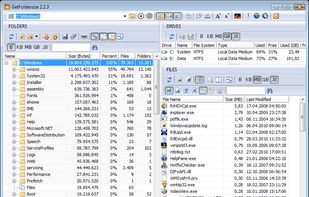
1Tree Pro lets you see drives/directories/files size in 1 tree view, so as to let you to do manual disk cleaning work easily. It loads drives, folders and files with their sizes (sorted by size in descending order), and offers some common commands.

xdiskusage is a user-friendly program to show you what is using up all your disk space. It is based on the design of xhttp://alternativeto.net/software/xdu/ written by Phillip C. Dykstra <dykstra at ieee dot org & gt.


Landiskape is a storage visualizer which tells you how your storage is being used by using an easy to understand 2D chart.


TreePie : a simple way to display disk usage. It shows the distribution of size in a tree of directories by using an interactive multilevel pie (sunburst diagram). Really small and simple.


Klarity is a beautiful disk analyzer for macOS that helps you understand exactly where your storage is going.


DissectMac is a native, privacy-first macOS utility that uses an interactive treemap to visualize storage, allowing users to reclaim gigabytes in seconds through deep app uninstallation and real-time system monitoring.


Monitor mounted volumes and manage network targets from the menu bar. Reconnect shares, use profiles, and recover offline targets.


StorageRadar maps your disk, shows blocked paths instead of hiding them, lets you dry-run cleanup, and compares what changed over time. Scan data stays local, while analytics and diagnostics remain separately controllable in settings.


Help you to view at a glance all the folders, files inside them and the space occupied by them on your system