Disk Order AlternativesFile Managers and other similar apps like Disk Order

Disk Order is described as 'File manager designed to make file management perfect on your Mac' and is a File Manager in the file management category. There are more than 25 alternatives to Disk Order for a variety of platforms, including Windows, Mac, Linux, BSD and Android apps. The best Disk Order alternative is Files, which is both free and Open Source. Other great apps like Disk Order are Total Commander, OneCommander, Midnight Commander and File Explorer.

Copy a direct link to this comment to your clipboard
Disk Order alternatives page was last updated

Alternatives list

  1. Files icon
     180 likes

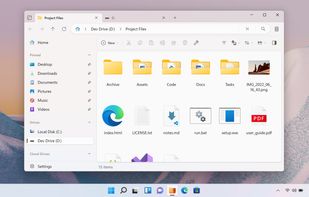
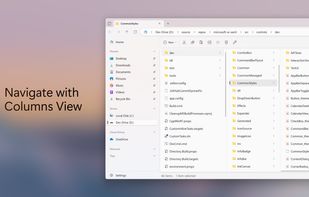
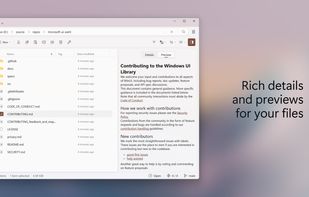
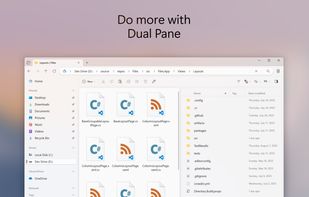
    Advanced Windows file manager offers tabbed browsing, dual-pane drag-and-drop, column navigation, built-in archive creation and extraction, file tagging, QuickLook previews, context menu integration, quick search, and customizable appearance for streamlined organization.

    124 Files alternatives

    Cost / License

    • Free
    • Open Source (MIT)

    Application types

    Platforms

    • Windows
     
  2. Total Commander icon
     918 likes

    A versatile file manager offering side-by-side dual-pane for intuitive navigation, powerful built-in FTP client, extensive archive format support, robust file comparison tool with editor, advanced multi-rename using regular expressions, and scalable customization options.

    187 Total Commander alternatives

    Cost / License

    • Freemium
    • Proprietary

    Application types

    Platforms

    • Windows
    • Android
    • Android Tablet
     
  3. OneCommander icon
     176 likes

    Dual-pane Windows file manager with tab support, Miller Columns layout, customizable themes, image converter, regex-based renaming, long Unicode path support, batch operations, metadata display, ToDo notes in folders, file previews, smart clipboard, and robust archive handling.

    99 OneCommander alternatives

    Cost / License

    • Freemium
    • Proprietary

    Application types

    Platforms

    • Windows
     
  4. Text-mode file manager for terminals with dual-pane interface enables copying, moving, deleting, and searching files locally or via remote shells. Includes internal viewer, text editor, subshell integration, broad terminal compatibility, and works over SSH.

    109 Midnight Commander alternatives

    Cost / License

    • Free
    • Open Source

    Application types

    Platforms

    • Mac
    • Windows
    • Linux
    • BSD
    • Cygwin
    • MacPorts
     
  5. File Explorer icon
     234 likes

    Manage your files using a graphical interface with offline capabilities, no registration, zip support, and a lightweight design. Enjoy features like dark mode and ad-free usage on Windows. Known as Explorer, it helps present the taskbar and desktop elements since Windows 95.

    134 File Explorer alternatives

    Cost / License

    • Free
    • Proprietary

    Application types

    Platforms

    • Windows
     
  6. ForkLift icon
     104 likes

    Dual pane macOS file manager featuring SFTP, FTP, WebDAV, cloud drives, real-time activity view, folder sync, drag-and-drop file transfers, preview panel, multi-rename, batch operations, server connections, text editing, themes, and tagging for efficient workflows.

    121 ForkLift alternatives

    Cost / License

    • Freemium
    • Proprietary

    Application types

    Platforms

    • Mac
     
  7. muCommander icon
     125 likes

    muCommander is a lightweight, cross-platform file manager with a dual-pane interface. It runs on any operating system with Java support (Mac OS X, Windows, Linux, *BSD, Solaris...).

    113 muCommander alternatives

    Cost / License

    • Free
    • Open Source

    Application type

    Platforms

    • Mac
    • Windows
    • Linux
    • Online
    • BSD
    • Java
     
  8. Commander One icon
     73 likes

    Swift file manager for Mac that offers a dual-pane interface, multi-tab browsing & advanced search. The PRO Pack adds features like FTP client, cloud integration (Box, Amazon S3), compression & more, enhancing file management capabilities.

    97 Commander One alternatives

    Cost / License

    • Freemium
    • Proprietary

    Application types

    Platforms

    • Mac
     
  9. Finder icon
     63 likes

    The Finder is the first thing that you see when your Mac finishes starting up. It opens automatically and stays open as you use other apps. It includes the Finder menu bar at the top of the screen and the desktop below that.

    147 Finder alternatives

    Cost / License

    • Free
    • Proprietary

    Application type

    Platforms

    • Mac
     
  10. Path Finder icon
     56 likes

    Path Finder is a standalone Finder replacement that takes the Finder's familiar interface and adds numerous powerful features and interface innovations to help anyone be more productive on macOS.

    54 Path Finder alternatives

    Cost / License

    • Paid
    • Proprietary

    Application type

    Platforms

    • Mac
     
  11. fman icon
     233 likes

    The most modern dual-pane file manager. For Windows, Mac and Linux.

    Cost / License

    • Freemium
    • Proprietary

    Application type

    Platforms

    • Mac
    • Windows
    • Linux
     
  12. A small and two-pane file manager with open plugin architecture. Has the ability to view content of files (text, html, over 40 picture formats, mp3), support for archives (zip, rar, arj, cab, tar/gzip, etc.), and (S)FTP support.

    54 Altap Salamander alternatives

    Cost / License

    • Free
    • Proprietary

    Application type

    Platforms

    • Windows
     
12 of 33 Disk Order alternatives