


DataSweeper
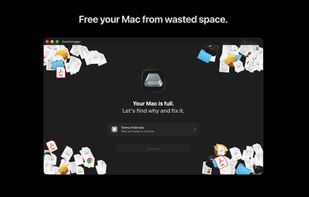
Take back your Mac's storage in minutes. DataSweeper finds system data, large & duplicate files, and space-wasting clutter, then safely moves them to your macOS Trash where you can review before permanent deletion. No subscriptions. No accounts. No data leaves your Mac.
Features
Properties
- Lightweight
- Privacy focused
Features
- Dark Mode
- Delete Temporary Files
- No registration required
- No Tracking
- Ad-free
- Works Offline
DataSweeper News & Activities
Recent activities
- Bibilder added DataSweeper
Bibilder added DataSweeper as alternative to CCleaner, CleanMyMac and Mole
DataSweeper information
What is DataSweeper?
Take back your Mac's storage in minutes. DataSweeper finds system data, large & duplicate files, and space-wasting clutter, then safely moves them to your macOS Trash where you can review before permanent deletion. No subscriptions. No accounts. No data leaves your Mac.
4 Scanners: • System Data: Find bloated caches, old logs, and temporary files your system no longer needs. • Duplicate Finder: SHA-256 hash matching finds exact duplicates across your drive. No false positives. • Large Files: Discover forgotten downloads, old archives, and oversized files eating your storage. • Junk Files: Clean up old installers, broken downloads, and leftover app data.
Safe: Every file goes to your macOS Trash first, nothing is permanently deleted. A built-in safety system color-codes each file (safe / caution / risky) so you always know what you're removing. Critical system files, keychains, and SSH keys are automatically protected and cannot be deleted. Changed your mind? One click restores files from the Trash back to their original location.
Private: DataSweeper makes zero network connections. No analytics, no telemetry, no accounts, no tracking. Everything runs 100% on your Mac. Your files are your business.
One price. No subscriptions: Pay once, use forever. No monthly fees, no premium tiers, no upsells. Every feature is included from day one.
Highlights: • Native macOS app built with SwiftUI • iCloud-aware: detects cloud-only files to prevent unnecessary downloads • Dark & light mode support • Background scan notifications • Keyboard shortcuts for power users (Delete key, Cmd+Z undo)



