





CursorHop
2 likes
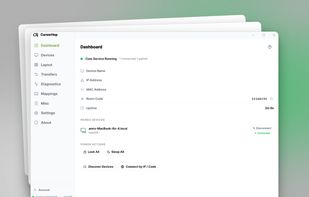
Cross-platform KVM software to share one mouse, keyboard, and clipboard across multiple Windows and macOS computers over your local network.

Cost / License
- Freemium (Pay once)
- Proprietary
Application typeApplication types
Platforms
- Mac
- Windows


Features
Highlights All activities
CursorHop News & Activities
Recent activities
 Paul added CursorHop as alternative to Magic Switch
 DeskStitch added CursorHop as alternative to DeskStitch
- Ben liked CursorHop
 Sharif added CursorHop as alternative to EasySwitch
- Cursorhop updated CursorHop
- Cursorhop updated CursorHop
- Cursorhop liked CursorHop
- Cursorhop added CursorHop
 Cursorhop added CursorHop as alternative to Barrier, Mouse without Borders, Input Director, Input Leap and 16 more


Developed by
CursorHopLicensing
Proprietary and Freemium product.Pricing
One time purchase (perpetual license) ranging between $10 and $35 + free version with limited functionality.Alternatives
23 alternatives listedBadge
Get an embeddable badge for CursorHopSupported Languages


No comments or reviews, maybe you want to be first?