
Crypt in the Box icon

Crypt in the Box

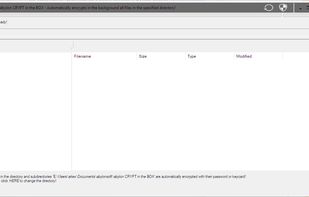
The software abylon CRYPT in the BOX is an easy to use safe for your files. The software offers two ways to encrypt data. The easiest way is to simply copy files into the specified CRYPT directory.
Crypt in the Box screenshot 1

Cost / License

  • Pay once
  • Proprietary

Platforms

  • Windows  Supports Windows 7-11
0likes
0comments
0articles

Features

Properties

  1.  Privacy focused
  2.  Lightweight

Features

  1.  Ad-free
  2.  AES-256 Encryption
  3.  No Tracking
  4.  Works Offline

Crypt in the Box News & Activities

Highlights All activities

Recent activities

Crypt in the Box information

  • Developed by

    DE flagabylonsoft
  • Licensing

    Proprietary and Commercial product.
  • Pricing

    One time purchase (perpetual license) that costs up to $27.
  • Alternatives

    51 alternatives listed
  • Supported Languages

    • English

AlternativeTo Category

Security & Privacy
Crypt in the Box was added to AlternativeTo by TheEmperorArt on and this page was last updated .
No comments or reviews, maybe you want to be first?

What is Crypt in the Box?

The software abylon CRYPT in the BOX is an easy to use safe for your files. The software offers two ways to encrypt data. The easiest way is to simply copy files into the specified CRYPT directory. The software recognizes this and encrypts the file automatically and without any further action. In addition, the software offers a program window in which the encrypted files are displayed. To open it, the corresponding password must be entered once or the hardware key must be inserted. The encrypted data can then be accessed without further input. The processing of the files and all usual file operations are possible here. By Drag&Drop or a selection dialog files can be added and encrypted. The encrypted files are opened with the usual program and changes are automatically applied. The file-based structure allows simultaneous access for several authorized users, e.g. via the network

  • Automatic encryption of files in the AUTOCRYPT directory with AES (256-bit)
  • All file operations can be performed in the program interface
  • Changes are automatically copied to the encrypted file
  • Simultaneous access for multiple users
  • Access to the encrypted files is only possible for the logged in Windows user and with the program window open
  • Drag&Drop and automatic shredding of original files
  • The dialogs (text and icons) are now displayed much more clearly, regardless of the screen resolution.

Encrypted storage in the cloud Nowadays, cloud storage is often closer than one's own hard drive and offers a great advantage through a standardised and worldwide access. However, when using a cloud, security and the protection of one's own data should not be neglected. To be on the safe side, the data can be stored in the cloud encrypted so that strangers cannot gain access. On our support page under the FAQs, the procedure for using Microsoft's OneCloud (c) is briefly described.

