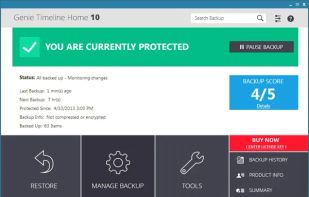
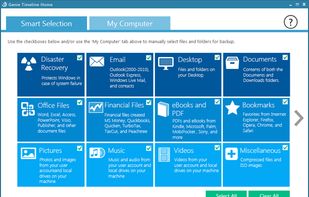
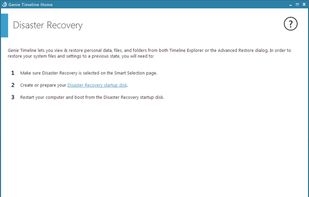
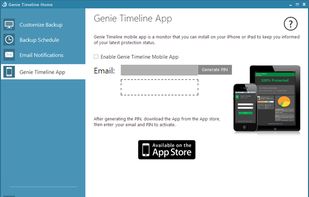
Creates your backup quickly and easily to an external hard drive, optical media or the cloud.


Cronopete is described as 'Backup utility for Linux, modeled after Apple's Time Machine. It aims to simplify the creation of periodic backups' and is a System Backup tool in the backup & sync category. There are more than 25 alternatives to Cronopete for a variety of platforms, including Windows, Mac, Linux, Android and iPhone apps. The best Cronopete alternative is rsync, which is both free and Open Source. Other great apps like Cronopete are TimeShift, Acronis True Image, Time Machine and Déjà Dup.
Creates your backup quickly and easily to an external hard drive, optical media or the cloud.


rdiff-backup backs up one directory to another, possibly over a network. The target directory ends up a copy of the source directory, but extra reverse diffs are stored in a special subdirectory of that target directory, so you can still recover files lost some time ago.
Simple system backup and restore application with extra features. Systemback makes it easy to create backups of system and users configuration files. In case of problems you can easily restore the previous state of the system. There are extra features like system copying, system.


KLS Backup - Powerful backup and synchronization program with FTP, WebDAV and cloud support (Windows Azure, Amazon S3, Eucalyptus Walrus)


Backer is a visual front end to the rsync command. It allows the user to select multiple folders and back them up to multiple locations. It stores your backup settings for you so that all your backups can be run easily using a single button click.

Back4Sure is a feature-rich backup solution for typical backup use. No VSS Volume Shadow Copy function for open files. The program can make a backup to hard-disk, USB drive or network and can also be compressed using high or low compression settings to a ZIP or 7-zip file of...


HDClone creates physical or logical copies (clones) and file images of hard disks and other mass storage media. HDClone is a perfect tool for backups and copies of entire software or operating system installations.


Fast and reliable disk-based backup that captures full, differential and incremental point-in-time backup images of your entire system. This includes the operating system, applications, configuration settings and data.


File History protects files from within the libraries, desktop, favorites, and contacts folders and creates copies of the files. in any event of a system refresh, reset or crash the files that were backed up via File History can easily be restored.