CorelDRAW Graphics Suite AlternativesOnly apps categorised as Digital Painting Tools

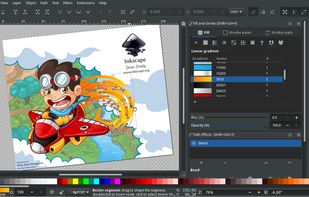
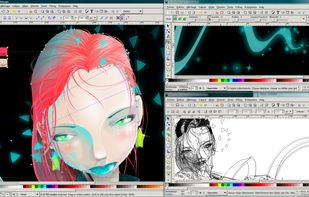
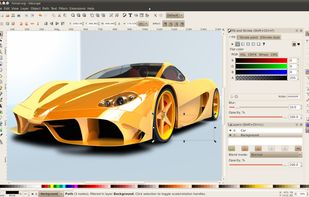
The best Digital Painting alternative to CorelDRAW Graphics Suite is Inkscape, which is both free and Open Source. If that doesn't suit you, our users have ranked more than 50 alternatives to CorelDRAW Graphics Suite and 16 are Digital Painting Tools so hopefully you can find a suitable replacement. Other interesting Digital Painting Tool alternatives to CorelDRAW Graphics Suite are Photopea, Adobe Illustrator, Pixelmator and Linearity Curve.

filter to find the best alternatives

CorelDRAW Graphics Suite alternatives are mainly Digital Painting Tools, but if you're looking for Vector Graphic Apps or Image Editors you can filter on that. Other popular filters include Free, Linux, Open Source, Online + Free, Android, Chrome OS and Mac. These are just examples - use the filter bar below to find more specific alternatives to CorelDRAW Graphics Suite.
Copy a direct link to this comment to your clipboard
CorelDRAW Graphics Suite alternatives page was last updated

Alternatives list

  1. Inkscape icon
     2314 likes

    Open source vector graphics editor with SVG support. Offers tablet support, non-destructive editing, and live previews. No registration needed, works offline, extensible with plugins, and provides privacy-focused, ad-free experience across multiple platforms.

    123 Inkscape alternatives

    Cost / License

    Platforms

    • Mac
    • Windows
    • Linux
    • BSD
    • Snapcraft
    • Flathub
    • PortableApps.com
    • Haiku
     
    |
    8
    Inkscape vs CorelDRAW Graphics Suite Comments
    Top Positive Comment
    Guest
    8

    Similarily to GIMP vs Adobe Photoshop, once you get used to the differences, just about anything is possible. Keep in mind though that switching is always harder than just starting out with a piece of software. In other words, it's easier to use Inkskape if you've never started out with Coreldraw in the first place, and vice versa.

    Review by a new / low-activity user.
    Top Negative Comment
    Guest
    6

    Its not intuitive. Its like a new program of design, and that its hard to assimilate.

    Review by a new / low-activity user.
    Guest
    Positive
    0

    simple and does what I need

    Review by a new / low-activity user.
    3 of 8 comments
    • Inkscape is Free and Open SourceCorelDRAW Graphics Suite is Paid and Proprietary
    • Inkscape is Privacy focused and LightweightCorelDRAW Graphics Suite is not according to our users
  2. Photopea icon
     337 likes

    Browser-based image editing supports PSD, XCF, Sketch formats, advanced layers, vector tools, RAW photo support, and exports in 40+ formats. Fully client-side with AI background removal, content-aware tools, and privacy as files never leave your device.

    110 Photopea alternatives

    Cost / License

    • Freemium
    • Proprietary

    Platforms

    • Online
    • Software as a Service (SaaS)
     
  3. This vector graphics editor offers sophisticated tools for drawing, typography, and color management. Equipped with powerful features like multiple art boards, Blob Brush for vector painting, and transparency in gradients, it supports designs for print, web, interactive, motion, and mobile platforms.

    94 Adobe Illustrator alternatives

    Cost / License

    • Paid
    • Proprietary

    Platforms

    • Mac
    • Windows
    • Online
    • iPad
     
  4. Pixelmator icon
     421 likes

    Image editing software for macOS and iOS, offering nondestructive, GPU-powered editing with machine learning features, RAW support, custom brushes, and seamless macOS integration for touch-ups, painting, and creative compositions.

    151 Pixelmator alternatives

    Cost / License

    • Paid
    • Proprietary

    Application types

    Platforms

    • Mac
    • iPhone
    • iPad
     
    |
    1
    Pixelmator vs CorelDRAW Graphics Suite Comments
    yangnw
    Negative
    3

    Pixelmator support raster images, but not vector images.

    • Pixelmator is Paid and ProprietaryCorelDRAW Graphics Suite is also Paid and Proprietary
  5. Linearity Curve icon
     354 likes

    Desktop vector design for Mac with tools for complex illustrations, SVG conversion, Auto Trace, AI-powered background removal, advanced typography, layers, artboards, gradient support, real-time collaboration, and seamless compatibility with design files.

    39 Linearity Curve alternatives

    Cost / License

    • Freemium
    • Proprietary

    Platforms

    • Mac
    • iPhone
    • iPad
     
  6. Professional software for comic and manga creation, optimized with panel layouts, perspective rulers, sketching, inking, toning, vector support, and 3D model import, suitable for artists seeking advanced drawing and coloring tools.

    102 Clip Studio Paint alternatives

    Cost / License

    • Paid
    • Proprietary

    Platforms

    • Mac
    • Windows
    • Android
    • iPhone
    • Chrome OS
    • Android Tablet
    • iPad
    • Samsung Galaxy Store
     
  7. Karbon icon
     57 likes

    Karbon is a vector drawing application with a user interface that is easy to use, highly customizable and extensible. That makes Karbon a great application for users starting to explore the world of vector graphics as well as for artists wanting to create breathtaking vector art.

    Cost / License

    Platforms

    • Linux
    • KDE Plasma
    • Flathub
    • Flatpak
     
  8. Xara Designer Pro offers tools for illustration, photo editing, and desktop publishing, with exceptional vector design capabilities. Suitable for billboards, business cards, and more, it supports diverse file formats, provides abundant templates, and powers web design and prototyping without coding.

    Cost / License

    • Paid
    • Proprietary

    Platforms

    • Windows
     
  9. Xara Photo & Graphic Designer, formerly Xara Xtreme, is a fast graphics software with versatile illustration tools and advanced photo management. It streamlines creative tasks, allowing users to retouch images, create social media posts, and design website graphics in one...

    Cost / License

    • Paid
    • Proprietary

    Platforms

    • Windows
     
  10. Kleki icon
     11 likes

    Kleki is a multi-platform web app for painting and editing. It features: 4 different brushes; pressure sensitivity for Wacom tablets; up to 8 layers; numerous filters with real-time preview; import to PSD, PNG, JPEG; export to JPEG and PNG; upload to imgur.com; local storage.

    65 Kleki alternatives

    Cost / License

    • Free
    • Open Source (MIT)

    Platforms

    • Online
     
  11. AutoDraw icon
     21 likes

    AutoDraw is an intuitive drawing tool for everyone. It's a Google Experiment project that provides relevant suggestions as you draw, based on what it guesses you're drawing.

    Cost / License

    • Free
    • Proprietary

    Application type

    Platforms

    • Online
     
12 of 16 CorelDRAW Graphics Suite alternatives