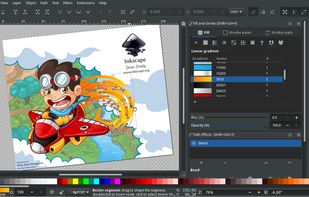
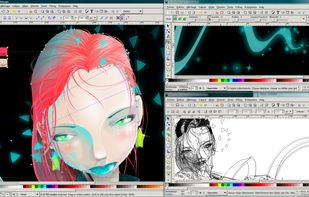
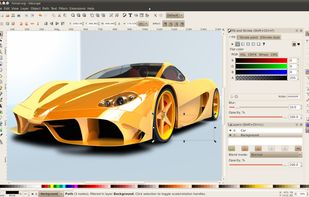
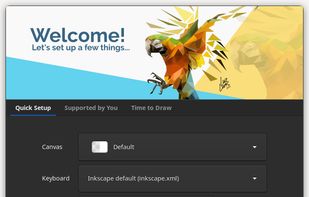
Inkscape Inkscape is a professional vector graphics editor for Linux, Windows and macOS. It's free and open source. Similarily to GIMP vs Adobe Photoshop, once you get used to the differences, just about anything is possible. Keep in mind though that switching is always harder than just starting out with a piece of software. In other words, it's easier to use Inkskape if you've never started out with Coreldraw in the first place, and vice versa. Guest • Aug 2020 • 5 agrees and 0 disagrees Disagree Agree Its not intuitive. Its like a new program of design, and that its hard to assimilate. Guest • Oct 2019 • 11 agrees and 6 disagrees Disagree Agree I before work with Corel Draw over ten years now I use only Inkscape Guest • Apr 2019 • 11 agrees and 3 disagrees Disagree Agree I Have had CorelDraw graphic suite for 35 years until it was deleted by an upgrade malfunction, and Corel says I need proof of purchase before they will help, so after looking at your program I and several others, I feel like checking it out Guest • Mar 2019 • 7 agrees and 4 disagrees Disagree Agree Comprehensive, open source, community supported, easy to use alternative. Guest • Jul 2017 • 12 agrees and 3 disagrees Disagree Agree Free Open Source Mac Windows Linux Windows S BSD ... Snapcraft FLATHUB PortableApps.com X11 MacPorts XQuartz Vector Drawing SVG Editors Vectorize raster images ... Support for Layers Live Path Effects Cross-platform Ad-free Bitmap rasterizing Cross-platform Easy scripting language Export to SVG Support for Keyboard Shortcuts Native application Works Offline Pathfinder Svg export SVG Support Symbols Boolean operations Comma Separated Values Curve Manipulation Drawing High-res Vector GRPHX Image Editing Over-The-Top (OTT) Path Filters Edit PDF PDF Editor SVG Editors UI customization Vector-like Visual Editing Add a feature 1858 Like
Vectornator The vector graphics design software that allows you to create sophisticated graphics, amazing layouts and illustrations - all in... Free Mac iPhone iPad Artboards Ad-free Vector strokes ... Auto-trace Intuitive Interface Works Offline Real time rendering UX Design Vector painting Vectorgraphic support Vectorize raster images Drawing UI Design Support for Layers Export to PDF SVG Editors Vector Drawing Add a feature 289 Like
Photopea Online photo editor, which can work with PSD, XCF and Sketch files (Photoshop, Gimp and Sketch App). Convert between PSD, XCF... Free Web Web-Based Open PSD files Vectorize raster images ... Sketch to PSD Browser based Import from Sketch Support for Layers Free API Image Editing Realtime magic wand tool User interface Web based platform Color blending Digital Painting Drawing Image Editing Kids Mode Layer manipulation Edit photo Photographic filters Convert Photo to Painting Photoshop-like REST API Texture painting Add a feature 170 Like
sK1 sK1 is a powerful illustration program for the Linux platform that can substitute professional proprietary software like... Free Open Source Windows Linux SVG Editors Add a feature 28 Like
Apache OpenOffice Draw Draw, part of the Apache OpenOffice suite, is a graphics editor that gives you the tools to... Free Open Source Mac Windows Linux Edit PDF Desktop publishing Vector Drawing Add a feature 112 Like
Karbon Karbon, component of Calligra Suite , is the scalable vector drawing application in KDE. It... Free Open Source Mac Linux BSD KDE Plasma Workspaces High Availability SVG Editors Vector Drawing Add a feature 47 Like
svg-edit SVG-edit is a fast, web-based, JavaScript-driven SVG drawing editor that works in any modern browser. Free Open Source Web Drawing SVG Editors Add a feature 28 Like
Adobe Illustrator Draw Create elaborate, finished illustrations with easy and intuitive touch controls. Send your artwork as layered files to... Free Android iPhone Android Tablet iPad Image Editing Support for Layers Support for styluses Add a feature 9 Like
AutoDraw AutoDraw is an intuitive drawing tool for everyone. It's a Google Experiment project that provides relevant suggestions as... Free Web Drawing Export to PNG Add a feature 13 Like
Luminar New powerful photo editing station packed with over 300 useful tools and versatile features. CorelDraw is for creating vector graphics while Luminar is for photography touchups. Guest • Mar 2020 Disagree Agree Freemium $ $ $ Mac Windows Support for Layers Edit photo Photographic filters ... Raw converter Add a feature 18 Like