





Convert to it !
1 like
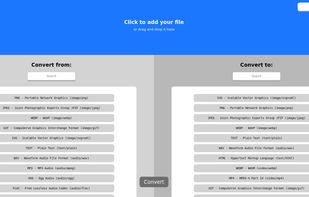
Convert to it! is an open source, self-hosted file conversion program that works online and provides a choice between any two file formats. You can convert mp4 to png.

Cost / License
- Free
- Open Source (GPL-2.0)
Application typeApplication types
Platforms
- Online


Features
Convert to it ! News & Activities
Highlights All activities
Recent activities
 hbach added Convert to it ! as alternative to OpenConvertVideo
 Rendobar added Convert to it ! as alternative to Rendobar
 JarlLyng added Convert to it ! as alternative to it's 404, yo!
 the_Libre_one added Convert to it ! as alternative to FFmpegYAG
- the_Libre_one added Convert to it ! as alternative to Convert to it!
 theorangeninja added Convert to it ! as alternative to ConvertX
 Mauricio B. Holguin added Convert to it ! as alternative to GetCompress
 the_Libre_one added Convert to it ! as alternative to CoolUtils Total Audio Converter
 the_Libre_one added Convert to it ! as alternative to Prism Video Converter
 the_Libre_one added Convert to it ! as alternative to Video Converter Pro


Convert to it ! information
Developed by
UnknownLicensing
Open Source (GPL-2.0) and Free product.Written in
Alternatives
87 alternatives listedBadge
Get an embeddable badge for Convert to it !Supported Languages

AlternativeTo Categories
Audio & Music, Online Services, Photos & Graphics, Video & MoviesGitHub repository
- 4,071 Stars
- 394 Forks
- 124 Open Issues
- Updated


No comments or reviews, maybe you want to be first?