





Video Converter Pro
3 likes
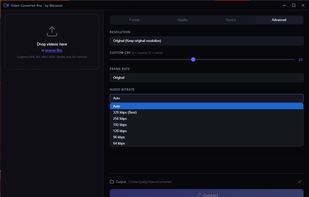
Free video converter that runs in your browser — no uploads, 100% private. Powered by FFmpeg WebAssembly. 20+ formats, quality presets, device profiles.

Cost / License
- Free
- Open Source (MIT)
Application type
 EU
EUPlatforms
- Windows
- Online


Features
Highlights All activities
Video Converter Pro News & Activities
Recent activities
- Robin_P liked Video Converter Pro
 incognito-weretrht added Video Converter Pro as alternative to MediaFlow
 the_Libre_one added Video Converter Pro as alternative to Convert to it !
- az-doomer liked Video Converter Pro
- niksavc liked Video Converter Pro
- Paul updated Video Converter Pro
- joelApp added Video Converter Pro
 joelApp added Video Converter Pro as alternative to HandBrake, FFmpeg and Online Convert


Developed by
 Mezami
 Licensing
Open Source (MIT) and Free product.Written in
Alternatives
5 alternatives listedBadge
Get an embeddable badge for Video Converter ProSupported Languages

AlternativeTo Category
Video & MoviesGitHub repository
- 0 Stars
- 0 Forks
- 0 Open Issues
- Updated






Privacy 101
Best of Privacy oriented app. Always investigate more. This is is just my personnal recommandations.
No comments or reviews, maybe you want to be first?