





ComfortFiles
3 likes
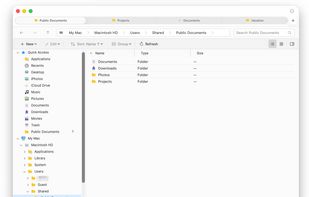
A file manager for Mac that brings your Windows Explorer habits — folder tree, address bar, cut and paste — with nothing taken away from macOS.

Platforms
- Mac


Features
Highlights All activities
ComfortFiles News & Activities
Recent activities
At this point, the app is honestly very close to perfect for me. It’s easily the best macOS file manager I’ve used.
- liamwilliams liked ComfortFiles
- Dmitry Ryzhkin updated ComfortFiles
- Dmitry-Ryzhkin added Lightweight as a feature to ComfortFiles
- Dmitry-Ryzhkin A comment was removed from ComfortFiles
- Dmitry-Ryzhkin liked ComfortFiles
- Dmitry Ryzhkin liked ComfortFiles
- Danilo Venom added Windows-like as a feature to ComfortFiles
- Dmitry Ryzhkin added ComfortFiles
 Dmitry Ryzhkin added ComfortFiles as alternative to Finder, Nimble Commander, Double Commander, File Explorer and 4 more

Developed by
ComfortFilesLicensing
Proprietary and Commercial product.Pricing
One time purchase ranging between $24 and $49, and / or subscription ranging between $8 and $15 per year.Alternatives
8 alternatives listedBadge
Get an embeddable badge for ComfortFilesSupported Languages


Comments and Reviews
At this point, the app is honestly very close to perfect for me. It’s easily the best macOS file manager I’ve used.