ColorSlurp AlternativesColor Picker Tools and other similar apps like ColorSlurp

ColorSlurp is described as 'The ultimate color tool for developers and designers. Pick any color on your screen using the high-precision magnifier. Create and edit colors using advanced selection and editing tools. Organize colors into collections' and is a Color Picker tool in the office & productivity category. There are more than 50 alternatives to ColorSlurp for a variety of platforms, including Windows, Mac, Linux, Web-based and Flathub apps. The best ColorSlurp alternative is ShareX, which is both free and Open Source. Other great apps like ColorSlurp are PicPick, gpick, Just Color Picker and Realtime Colors.

Copy a direct link to this comment to your clipboard
ColorSlurp alternatives page was last updated

Alternatives list

  1. ShareX icon
     836 likes

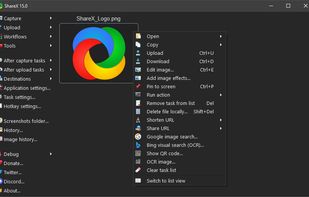
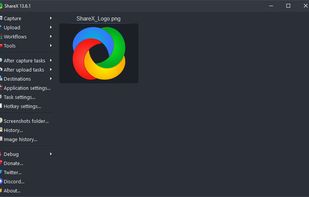
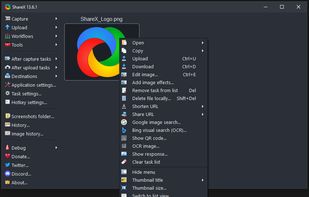
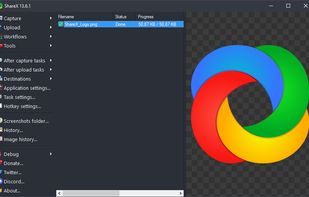
    Open-source screen capture and file sharing tool with recording, editing, and annotation features. Supports 4K, dark mode, theming, offline use, and offers a lightweight, ad-free experience without tracking user data.

    Cost / License

    Platforms

    • Windows
    • PortableApps.com
    • Steam
     
  2. PicPick icon
     200 likes

    Provides versatile screen capture options, built-in image annotation, color picking and palette, precision measurement tools like ruler and protractor, hotkey customization, clipboard and multi-format support, simple tray access, sharing, and portable operation.

    Cost / License

    • Free Personal
    • Proprietary

    Application type

    Platforms

    • Windows
    • PortableApps.com
    • Software as a Service (SaaS)
     
  3. gpick icon
     44 likes

    A color picker and color scheme creation tool.

    Cost / License

    Application type

    Platforms

    • Linux
     
  4. Just Color Picker is a tool that captures the colour of any pixel in any screen area and displays its code in a variety of formats.

    Cost / License

    • Free
    • Proprietary

    Application type

    Platforms

    • Mac
    • Windows
     
  5. If you want to choose a color palette for UI properly, the least you have to do is put them on a lofi UI or grayscale the entire UI on Figma, Adobe XD, or similar platforms to get a better idea of what those colors will actually look like on a product.

    Cost / License

    • Free
    • Proprietary

    Application type

    Platforms

    • Online
    • Figma
    • Software as a Service (SaaS)
     
  6. Magnifixer icon
     20 likes

    Magnifixer is a screen magnifier utility. You can place it anywhere on your screen, make it any size you want and select a zoom level. Magnifixer will always show the area of your screen where the mouse cursor resides.

    Cost / License

    • Free
    • Proprietary

    Application type

    Platforms

    • Windows
     
  7. Universal Palette Converter is the ultimate solution for managing and converting color palettes across various formats. Designed for designers, artists, and anyone in need of precise color management, this app streamlines the process of importing, exploring, and exporting color...

    Cost / License

    • Paid
    • Proprietary

    Platforms

    • Mac
    • iPhone
    • iPad
     
  8. Instant Eyedropper is a free color detection tool for webmasters that will identify and automatically paste to the clipboard the HTML color code of any pixel on the screen with just a single mouse click.

    Cost / License

    • Free
    • Open Source

    Application type

    Platforms

    • Windows
     
  9. Sip icon
     16 likes

    The refreshingly simple color picker for developers that instantly samples and encodes any color on your screen. Just one quick click to savor the flavor and you're set!.

    Cost / License

    • Paid
    • Proprietary

    Application type

    Platforms

    • Mac
     
  10. Pika icon
     8 likes

    Pika (pronounced pi·kuh, like picker) is an easy to use, open-source, native colour picker for macOS. Pika makes it simple to quickly find colours on screen, in the format you need, so you can get on with being a speedy, successful designer.

    Cost / License

    • Free Personal
    • Open Source (MIT)

    Application type

    Platforms

    • Mac
     
  11. Pixie icon
     43 likes

    Small utility that can show you coordinates and color of any pixel on your screen in different formats (HEX, HTML, RGB, CMYK, HSV). It's staying on top, displays a color of that pixel under mouse cursor, the program can magnify that zone w/ hotkey.

    Cost / License

    • Free
    • Proprietary

    Application type

    Platforms

    • Windows
     
12 of 89 ColorSlurp alternatives