Chris Titus Tech's Windows Utility Alternatives

Chris Titus Tech's Windows Utility is described as 'Automates software install, removal, updates, system tweaks, privacy options, Windows fixes, ISO generation, and debloating for Windows 10 and 11' and is a very popular System Tweaker in the os & utilities category. There are more than 25 alternatives to Chris Titus Tech's Windows Utility for a variety of platforms, including Windows, Linux, Mac, Web-based and PowerShell apps. The best Chris Titus Tech's Windows Utility alternative is Ninite, which is free. Other great apps like Chris Titus Tech's Windows Utility are RemoveWindowsAI, ShutUp10++, Wintoys and Kudu Cleaner.

Copy a direct link to this comment to your clipboard
Get a badge for your siteChris Titus Tech's Windows Utility alternatives page was last updated

Alternatives list

  1. Ninite icon
     687 likes

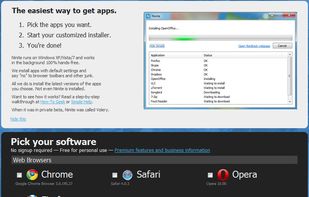
    Ninite is the easiest way to install software. Pick the apps you want, and the Ninite installer will download and install all of your selected apps at once, automatically. It is 100% hands-free; Ninite automatically rejects browser toolbars and other prepackaged junk.

    85 Ninite alternatives

    Cost / License

    • Freemium
    • Proprietary

    Platforms

    • Windows
     
    |
    1
    Ninite vs Chris Titus Tech's Windows Utility Comments
    Noah Sean
    Negative
    3

    Ninite is a very basic application installer, it's not a debloater.

    • Ninite is Freemium and ProprietaryChris Titus Tech's Windows Utility is Freemium and Open Source
    • Ninite is a Software Installer Chris Titus Tech's Windows Utility is a System Tweaker
  2. RemoveWindowsAI icon
     47 likes

    PowerShell tool for Windows 11 automates disabling and removing Copilot, Recall, AI Actions, typing insights, and AI integrations in system apps, deletes non-removable AI packages and files, installs update package for persistence, and offers a GUI for easy toggles.

    Cost / License

    • Free
    • Open Source (MIT)

    Platforms

    • Windows
    • PowerShell
     
  3. ShutUp10++ icon
     167 likes

    O&O ShutUp10++ means you have full control over which comfort functions under Windows 10 and Windows 11 you wish to use, and you decide when the passing on of your data goes too far. Using a very simple interface, you decide how Windows 10 and Windows 11 should respect your...

    47 ShutUp10++ alternatives

    Cost / License

    • Freemium
    • Proprietary

    Platforms

    • Windows
     
  4. Wintoys icon
     57 likes

    Experience Windows in your way and keep it fresh every day. Set up, debloat, optimize, repair, and tweak your operating system in a simple, time-saving, yet safe approach. Maintain it in a clean, healthy and productive state while having everything you need in one place.

    29 Wintoys alternatives

    Cost / License

    • Free
    • Proprietary

    Platforms

    • Windows
     
  5. Kudu Cleaner icon
     25 likes

    The free system maintenance suite your PC deserves. 15+ powerful tools to clean, optimize, and protect your Windows, macOS, and Linux machines. Open source, no ads, no bloatware. Just a faster computer.

    89 Kudu Cleaner alternatives

    Cost / License

    • Freemium
    • Open Source (MIT)

    Platforms

    • Mac
    • Windows
    • Linux
    • Online
     
  6. WinPurge icon
     17 likes

    A modern, professional-grade Windows debloating and privacy hardening tool. Remove bloatware, optimize performance, harden privacy, and reclaim control of your system.

    15 WinPurge alternatives

    Cost / License

    • Free
    • Open Source (MIT)

    Alerts

    • Warning

    Platforms

    • Windows
     
  7. Winhance icon
     14 likes

    Winhance is a C# application designed to optimize and customize your Windows experience. From software management to system optimizations and customization, Winhance provides functions to enhance Windows 10 and 11 systems.

    15 Winhance alternatives

    Cost / License

    • Free
    • Open Source

    Platforms

    • Windows
     
    |
    1
    Winhance vs Chris Titus Tech's Windows Utility Comments
    Shoji VR
    Positive
    0

    has same functionality with CTT, and no powershell required or purchase exe file. winhance exe file already provided free and open source.

    • Winhance is Free and Open SourceChris Titus Tech's Windows Utility is Freemium and Open Source
  8. Win11Debloat icon
     26 likes

    Lightweight PowerShell solution for Windows 10 and 11, removes bloatware and preinstalled apps, disables telemetry, blocks ads, controls AI features, customizes Start Menu, taskbar, and File Explorer. Enables dark mode, privacy controls, multi-user options, and profile-wide changes.

    45 Win11Debloat alternatives

    Cost / License

    • Free
    • Open Source (MIT)

    Platforms

    • Windows
     
  9. optimizerDuck icon
     12 likes

    Open-source Windows software offering more than 30 system tweaks spanning performance, privacy, GPU, power, bloatware, and user experience, with detailed risk ratings, automatic backups, one-click reverts, built-in management tools, and user-controlled settings.

    63 optimizerDuck alternatives

    Cost / License

    • Free
    • Open Source

    Platforms

    • Windows
     
  10. Suite offering 30 plus tools for cleaning, privacy management, detailed system analysis, browser profile cleaning, tailored optimization, software uninstallation, duplicate removal, disk defragmentation, scheduled maintenance and deep customizable tuning.

    133 Ashampoo WinOptimizer alternatives

    Cost / License

    • Freemium
    • Proprietary

    Platforms

    • Windows
     
  11. TweakPower icon
     8 likes

    TweakPower is an all-in-one suite that has been designed to keep you and all your family’s computers running at optimal speed and efficiency.

    Cost / License

    • Free
    • Proprietary

    Platforms

    • Windows
     
12 of 32 Chris Titus Tech's Windows Utility alternatives