




caffeinate & disablesleep
8 likes
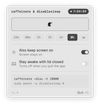
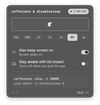
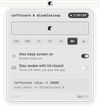
caffeinate & disablesleep replaces two macOS terminal commands: caffeinate -disu and sudo pmset -a disablesleep 1. One click keeps the Mac awake, with an option to stay awake when the lid is closed. Timed sessions run from 15 minutes to 8 hours, or forever.



Platforms
- Mac

Features
Highlights All activities
caffeinate & disablesleep News & Activities
Recent activities
 Pratik-Nayak added caffeinate & disablesleep as alternative to StayAwake
 Tumerit added caffeinate & disablesleep as alternative to Tethered (Tumerit)
 Alex Jenkins added caffeinate & disablesleep as alternative to Chai by lvillani
 GM Kamrussama added caffeinate & disablesleep as alternative to PowerLockGuard
 moh-alkhatib added caffeinate & disablesleep as alternative to HoldAwake
 PerfectoWeb added caffeinate & disablesleep as alternative to Belay
- cengisyildis liked caffeinate & disablesleep
- oblestic liked caffeinate & disablesleep
 kageroumado added caffeinate & disablesleep as alternative to Dantrolene
- James OLoughlin liked caffeinate & disablesleep


Developed by
 Demiao Chen
 Licensing
Open Source (MIT) and Free product.Written in
Alternatives
57 alternatives listedBadge
Get an embeddable badge for caffeinate & disablesleepSupported Languages

AlternativeTo Category
OS & UtilitiesGitHub repository
- 55 Stars
- 2 Forks
- 1 Open Issues
- Updated


No comments or reviews, maybe you want to be first?