
HoldAwake icon
HoldAwake icon

HoldAwake

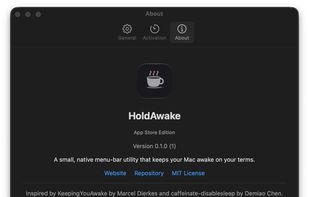
HoldAwake is a lightweight menu-bar utility for keeping your computer awake when you need it, without changing your normal sleep settings permanently.
HoldAwake screenshot 1

Cost / License

  • Free
  • Open Source (MIT)

Application type

Platforms

  • Mac
0likes
0comments
0articles

Features

Properties

  1.  Privacy focused
  2.  Lightweight

Features

  1.  No Tracking
  2.  Ad-free
  3.  No registration required
  4.  Dark Mode
  5.  Works Offline

HoldAwake News & Activities

Highlights All activities

Recent activities

HoldAwake information

  • Developed by

    SY flagnulldoubt
  • Licensing

    Open Source (MIT) and Free product.
  • Written in

  • Alternatives

    5 alternatives listed
  • Supported Languages

    • English

AlternativeTo Category

OS & Utilities

GitHub repository

  •  1 Stars
  •  0 Forks
  •  0 Open Issues
  •   Updated  
View on GitHub
HoldAwake was added to AlternativeTo by moh-alkhatib on and this page was last updated .
No comments or reviews, maybe you want to be first?

What is HoldAwake?

HoldAwake is a lightweight menu-bar utility for keeping your computer awake when you need it, without changing your normal sleep settings permanently.

A session can be started with a single click and set to run indefinitely or for a specific duration, from a few minutes to several hours. The menu-bar icon shows when HoldAwake is active, and timed sessions display the remaining time. You can also choose to keep the system awake while still allowing the display to turn off normally.

HoldAwake is designed to stay out of the way: it has no Dock icon, user account, analytics, network service, built-in updater, or third-party runtime dependencies. Optional settings let it start at login, activate automatically when launched, and remember your preferred activation duration.

For MacBook users who need to continue running tasks with the lid closed, the separately distributed HoldAwake Direct edition includes an optional Prevent Sleep feature. It uses a narrowly scoped privileged helper and requires explicit approval before it can prevent closed-lid sleep. The feature applies only to the current session and includes safeguards for restoring normal sleep behavior when it is turned off.

HoldAwake is useful for long-running downloads, backups, builds, data transfers, remote access, presentations, media playback, development tasks, and other situations where automatic sleep would interrupt ongoing work.