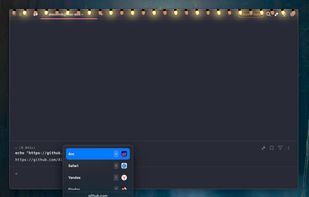
Browserino is a tiny browser selector for MacOS written in SwiftUI. Just set as default browser, assign shortcuts, and now you can choose in which application you want to open the link.

BrowBro is described as 'Free, open-source, native Swift + SwiftUI menu-bar app for macOS. When you click a link anywhere on your Mac, BrowBro pops a compact picker right at your cursor, letting you choose which browser, or which specific Chrome profile, should open it, using either the' and is a Web Browser in the web browsers category. There are more than 10 alternatives to BrowBro for Mac, Windows, Linux and Homebrew. The best BrowBro alternative is Browserino, which is both free and Open Source. Other great apps like BrowBro are Velja, Browserosaurus, Browsers and Switchbar.
Browserino is a tiny browser selector for MacOS written in SwiftUI. Just set as default browser, assign shortcuts, and now you can choose in which application you want to open the link.

Open links in a specific browser or a matching native app. Easily switch between browsers.


Browserosaurus is an open-source (MIT license), Electron-based app for macOS. It works by setting itself as the default browser; any clicked links in non-browser apps are now sent to Browserosaurus where it’ll present you with a menu of all your installed browsers.

Pops up a small browser selection dialog when opening a link from an app (except a browser). Supports profiles for most browsers and also containers for Firefox.

Any time you click on a web link outside of a browser, Switchbar will prompt you to choose which browser, browser profile or email client to open that link with.


A macOS app for creating rules that decide which browser is opened for every link that would open the default browser. Open Facebook in one browser, and Trello in another. Or Spotify links in the Spotify client. Or whatever URL in whatever app!.

Burly is a tiny macOS menu bar app that becomes your link handler. When you click a link, it lets you pick the exact browser and profile that should open it, instantly, with the keyboard.

When you click on a link, LinCastor Browser asks you to choose a browser to load the link with from a menu. Menu can contain a browser, an application but also AppleScript, shell script, Automator Workflow or even OS X share service.


Default Tamer is a macOS menu-bar app that becomes your default browser “interceptor”. Once set as the default web browser, it receives every link first, checks your routing rules, and then opens the link in the right browser automatically.