BetterTouchTool Alternatives

BetterTouchTool is described as 'Great, feature packed app that allows you to configure many gestures for your Magic Mouse (1 & 2), Macbook Trackpad and Magic Trackpad (1 & 2) and also Mouse Gestures for normal mice' and is a very popular Window Manager in the os & utilities category. There are more than 50 alternatives to BetterTouchTool for a variety of platforms, including Mac, Windows, Linux, PortableApps.com and AutoHotkey apps. The best BetterTouchTool alternative is AutoHotkey, which is both free and Open Source. Other great apps like BetterTouchTool are Rectangle, SnapZones, Karabiner Elements and AquaSnap.

filter to find the best alternatives

BetterTouchTool alternatives are mainly Window Managers, but if you're looking for Mouse Gestures Tools or Key Mapping Tools you can filter on that. Other popular filters include Mac, Windows and Linux. These are just examples - use the filter bar below to find more specific alternatives to BetterTouchTool.
Copy a direct link to this comment to your clipboard
BetterTouchTool alternatives page was last updated

Alternatives list

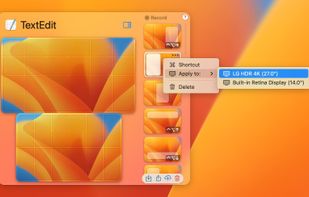
  1. Plumb icon
     5 likes
    Copy a direct link to this comment to your clipboard

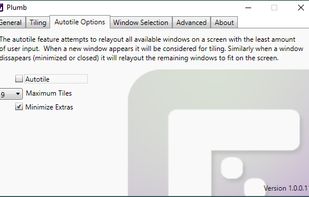
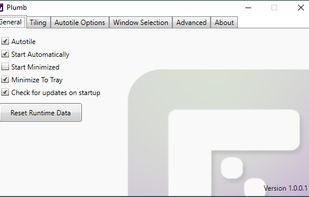
    Plumb is designed to reduce the time spent manually moving windows on your desktop. With higher resolution and larger monitors becoming the norm it’s common to have several applications open at any given time — none of which really need 100% of the screen.
    48 Plumb alternatives

    Cost / License

    • Free Personal
    • Proprietary

    Application type

    Platforms

    • Windows
     
  2. QuickTile icon
     5 likes
    Copy a direct link to this comment to your clipboard

    A lightweight utility for allowing you to quickly snap windows to a tiling grid under your existing Linux window manager. Can be triggered via keyboard shortcuts, the command line, or D-Bus calls.

    Cost / License

    • Free
    • Open Source

    Application type

    Platforms

    • Linux
    • X11
     
  3. Copy a direct link to this comment to your clipboard

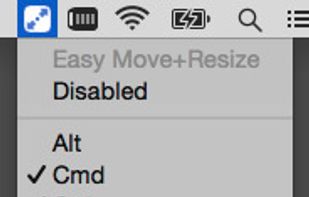
    Easy Move+Resize is based on behavior found in many X11/Linux window managers, adding easy modifier key + mouse drag move and resize to OS X.
    Cost / License

    • Free
    • Open Source

    Application type

    Platforms

    • Mac
     
  4. MTMR icon
     1 like
    Copy a direct link to this comment to your clipboard

    My idea is to create a platform for creating plugins to customize the TouchBar. I very much like BTT and having a full custom TouchBar (my BTT preset), and I wanted to create it. It's my first Swift project for MacOS.

    Cost / License

    • Free
    • Open Source

    Platforms

    • Mac
     
  5. x11PyGrid icon
     2 likes
    Copy a direct link to this comment to your clipboard

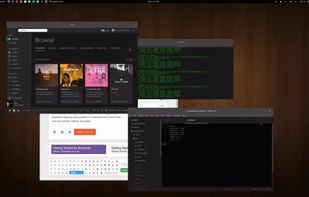
    A small utility which allows you to easily organize your open windows by tiling, resizing and positioning them to make the best use of your desktop real estate. It's easy to configure and supports multiple monitors.
    Cost / License

    • Free
    • Open Source

    Application type

    Platforms

    • Linux
     
  6. reSizer icon
     7 likes
    Copy a direct link to this comment to your clipboard

    reSizer is a system utility that enables keyboard shortcuts to focus, move, resize and change other window properties in a fast and intuitive way without even touching the mouse.

    Cost / License

    • Free
    • Proprietary

    Application type

    Platforms

    • Windows
     
  7. Copy a direct link to this comment to your clipboard

    Mosaic allows you to effortlessly resize and re-position windows on your Mac with a simple Drag & Drop, seamlessly integrated into macOS.

    Cost / License

    • Pay once
    • Proprietary

    Application type

    Platforms

    • Mac
    • MacPaw Setapp
     
  8. Copy a direct link to this comment to your clipboard

    Windows Toolbar Creator and Launcher Software, With Buttoncommander you can Automate True Toolbars any sort of Computer Movements.

    Cost / License

    • Pay once
    • Proprietary

    Application type

    Platforms

    • Windows
    • AutoHotkey
     
  9. SizeUp icon
     13 likes
    Copy a direct link to this comment to your clipboard

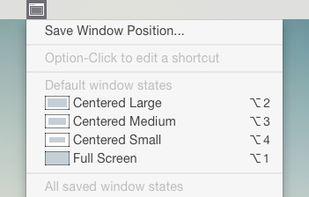
    SizeUp allows you to quickly position a window to fill exactly half the screen (splitscreen), a quarter of the screen (quadrant), full screen, or centered via the menu bar or configurable system-wide shortcuts (hotkeys).

    61 SizeUp alternatives

    Cost / License

    • Paid
    • Proprietary

    Application type

    Platforms

    • Mac
     
You are at page 5 of BetterTouchTool alternatives