




Balane WindowNote
1 like
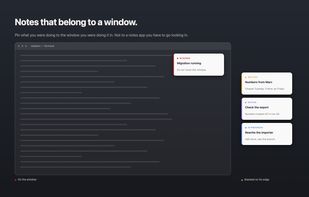
Sticky notes that live on the window, not in a notes app.
Pin a note to any window. It follows the window, and it comes back after a restart.

Cost / License
- Freemium (Subscription)
- Proprietary
Application type
 EU
EUPlatforms
- Windows
- Mac


Features
Highlights All activities
Balane WindowNote News & Activities
Recent activities
 Paul added Balane WindowNote as alternative to Hold My Notes and Noty - Sticky Notes
 Mauricio B. Holguin added Balane WindowNote as alternative to QStickyNotes
- Jonas David liked Balane WindowNote
- Jonas David added Balane WindowNote
 Jonas David added Balane WindowNote as alternative to Notion, Todoist, CherryTree, Workflowy and 29 more


Developed by
 Balane GmbH
 Licensing
Proprietary and Freemium product.Pricing
Subscription that costs $15 per month + free version with limited functionality.Alternatives
32 alternatives listedBadge
Get an embeddable badge for Balane WindowNoteSupported Languages


No comments or reviews, maybe you want to be first?