
Customize your workspace with profiles for any context or task — whether you’re working, browsing, or creating. Easily return to your favorite window setup anytime.

AirSpace is described as 'A minimalist utility app, that lets you name, track, and customize your spaces in the menu bar' and is a workspace manager in the office & productivity category. There are more than 10 alternatives to AirSpace for Mac, Linux and GNOME. The best AirSpace alternative is Spencer for Mac. It's not free, so if you're looking for a free alternative, you could try FlashSpace or StayHere. Other great apps like AirSpace are Spaces for macOS, Spring - Shortcuts, App Fleet and getlater.
Customize your workspace with profiles for any context or task — whether you’re working, browsing, or creating. Easily return to your favorite window setup anytime.

Ultra-fast virtual workspace manager for macOS, enhancing native Spaces. Supports switching workspaces independently on displays, with hotkey-driven app management, multiple configurations, Picture-in-Picture mode, and SketchyBar integration.


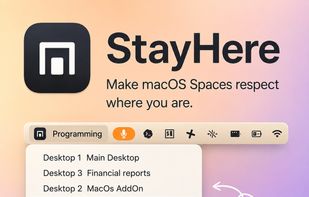
Lightweight macOS tool enabling custom Space names, visible indicators, change alerts, Dock click protection, window switching limited by Space, and keyboard shortcuts for seamless navigation, enhancing workspace separation, clarity, and predictable context use.


Transform your macOS Dock with Spring! This powerful yet easy-to-use app lets you create personalized shortcuts for any Mac app by selecting custom icons. With Spring, you can easily customize your Dock to match your style.


App Fleet is a workspace management tool written entirely for the Linux Desktops, designed and finely tested on GNOME. It offers creation of workspace configurations that can later be launched using a startup workspace launcher.


Workspace Manager is a great tool for organizing workspaces by launching Groups of Apps and Websites by pressing a Shortcut or by clicking the button in the Menu for each workspace.


Spaceman is an application for macOS that allows you to view your Spaces / Virtual Desktops in the menu bar. Spaceman allows you to see which space you are currently on (or spaces if you are using multiple displays) relative to the other spaces you have.


A lightweight macOS menu bar app that lets you assign custom names and emoji labels to your Desktop Spaces, so you can instantly recognize each workspace at a glance, and switch instantly into that workspace.

These are all features I personally use frequently, unified through right-click mouse gestures and double-tap hotkeys — so the whole experience feels like adding an extra productivity layer on top of macOS that you can invoke effortlessly.