


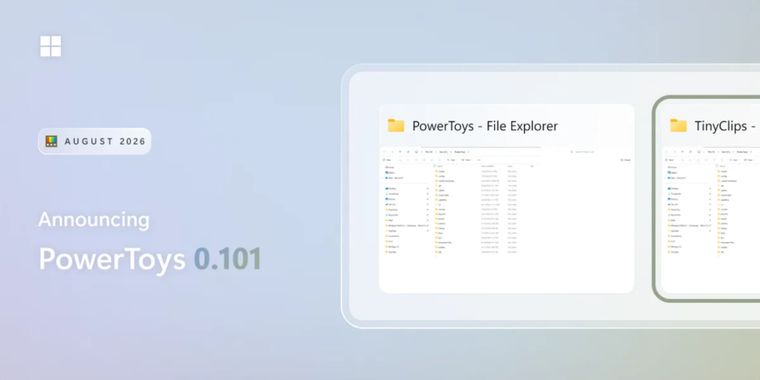

PowerToys introduces Window Hopper, a new tool for switching windows within the same app
PowerToys 0.101 has been released, introducing Window Hopper, a new window-switching utility as one of the update’s biggest additions. The new tool works like Alt + Tab but only for windows from the app currently in use, offering functionality similar to macOS App Expose for quickly navigating between multiple browser windows, terminals, File Explorer windows, or editor instances. It uses a configurable Alt + backtick shortcut and can be enabled directly from PowerToys settings.
The release also introduces separate Stable and Insider update channels, with Insider providing early access to preview builds, alongside a redesigned update interface with clearer status and error indicators. Command Palette also gains an optional compact mode that opens as a smaller search box and expands when results appear, plus improved search ranking, icon loading, dock behavior, notifications, and Windows Update commands. Quick Accent and Mouse Jump move to WinUI 3, while PowerDisplay adds linked brightness controls for multiple monitors, tray based adjustments, monitor wake controls, and a new command line interface.
Advanced Paste now supports local AI transformations through Microsoft’s Phi Silica model on compatible Windows devices, allowing clipboard actions to run without a cloud endpoint or API key, while Shortcut Guide adds Windows key activation and built in search. The release also includes several other improvements across tools such as ZoomIt and FancyZones, with the full list of changes available in the official changelog.





- Application Launcher
- Free
- Open Source
Related news
External links
- PowerToys 0.101 is here: Window Hopper, Insider updates, and Command Palette compact modeWindows Command Line • Official source
Comments
Yep, you press Alt + ` to switch to other windows of the current app. Like in nearly all desktop environments out there for decades.
Window Hopper is a small feature, but I can already see myself using it every day. When I have several browser or editor windows open, Alt + Tab quickly becomes messy. Switching only between windows of the current app feels much more practical.