



PowerToys 0.99 adds new tools for controlling external monitors and window management
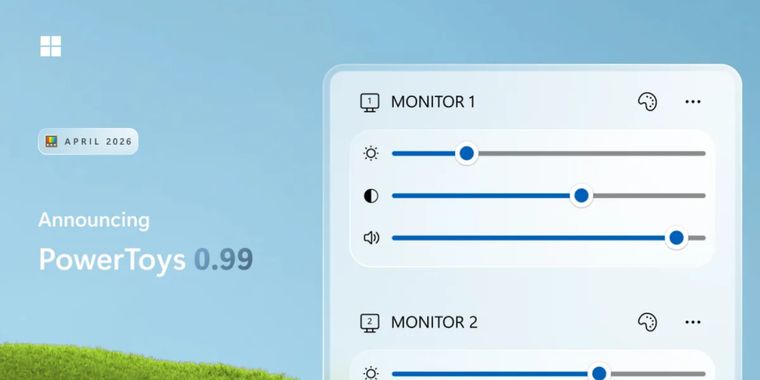
Microsoft PowerToys 0.99 has been released (likely one of the last updates before the long awaited official 1.0), introducing Power Display, a new preview utility that brings monitor controls to the Windows system tray. Users can adjust supported settings such as brightness, contrast, volume, and color profile without using physical monitor buttons, while profiles make it possible to save different display setups and switch between them quickly. Power Display can also integrate with Light Switch to adjust monitor settings automatically based on the Windows light or dark theme.
The update also adds Grab And Move, a preview window management tool aimed at large monitor setups and off screen windows. It lets users drag or resize windows from anywhere inside the window using Alt and mouse clicks, with an option to use the Win key instead. The tool is integrated into PowerToys Settings, including group policy support and an out of box setup screen.
Command Palette also gets several reliability and usability updates, including support for raw text and zoomable images in extensions, persistent calculator history, refined command pinning, and fixes for crash scenarios and faulty extension loading. The 0.99 update also brings Dock improvements, Keyboard Manager updates, scrolling screenshots and text extraction in ZoomIt, a refreshed Image Resizer interface, and an updated system tray icon with an update badge.




- Application Launcher
- Free
- Open Source
Other apps mentioned in this article


Related news
External links
- PowerToys 0.99 is here: new monitor controls, easier window management, and Dock upgradesWindows Command Line • Official source
Comments
The brightness feature on KDE has been a godsend for my day/night cycle use. Hoping this helps the irises of people still on/stuck with Windows
Version 1.0: Removed all the popular tools people used to make room for Copilot, renamed to Power Copilot Toys 365, and will now feature helpful suggestion ads.