



Google launches new desktop Gemini app for Mac with screen sharing to see your activity
Google has launched a dedicated native Gemini app for Mac, giving users a desktop version of the chatbot instead of relying only on the web experience. The app is available now for Macs running macOS 15 Sequoia or later in all countries and languages where Gemini is supported.
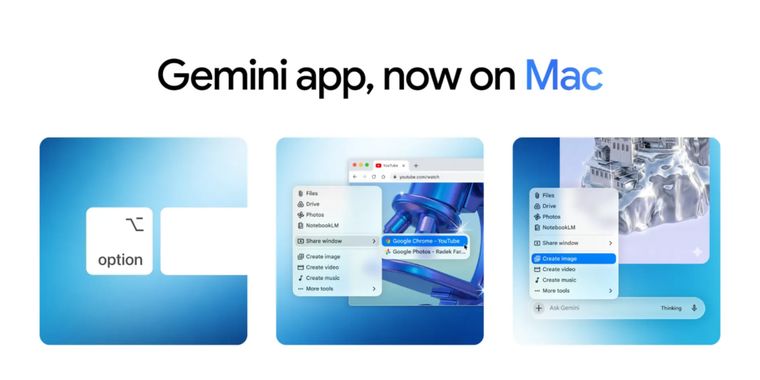
Gemini for Mac can be opened from anywhere in macOS using keyboard shortcuts. By default, Option + Space opens a mini chat overlay, while Option + Shift + Space opens the full desktop experience, with both shortcuts adjustable from the app settings. The mini chat is designed to let users ask questions while working inside a document, browser tab, design file, coding environment, or other app.
One of the main features is screen sharing, which allows Gemini to see what is currently on the user’s screen and respond with context, reducing the need to manually copy and paste text, screenshots, images, or other content. Users can ask questions about documents, designs, webpages, images, data, code, and shared local files, while the app can also share full web pages and supports image and video generation through Nano Banana and Veo. However, Gemini for Mac doesn't seem to include agentic features like Claude’s Computer Use, so it can't really take over the computer and perform tasks on the user’s behalf, for now.





- Large Language Model (LLM) Tool
- Freemium
- Proprietary
Related news
External links
- The Gemini app is now on MacGoogle The Keyword • Official source
- Google’s New Gemini App for Mac Comes With Two Key Benefits (and One Drawback)Lifehacker
- Google unleashes a native Gemini app for the MacEngadget
- Google's new Gemini desktop app can see everything on your Mac screenNeowin
Comments
Option + Space opens a mini chat overlay
The same key command ChatGPT uses too. And since Gemini seems to have a near unlimited usage amount on Fast mode, I think this will definitely replace ChatGPT on my MacBook.
Update to this comment: I’m sticking with ChatGPT. The Gemini app FORCES you to allow it to open at startup. There is no way of stopping it. It will re-add a login items EVERY TIME you launch the app. I don’t want it running constantly. I want it when I want it. In this case I’d rather just open Safari when I need it.