


Adobe updates Illustrator with AI-Powered Vector Recoloring tool for graphic designers
Adobe Illustrator has recently launched a new Vector Recoloring feature that utilizes generative AI to adjust the color schemes of vector-based images. This new feature allows users to upload their own SVG files and generate different color and palette variations within seconds. The Vector Recoloring tool is a part of Adobe Firefly, which is a suite of creative generative AI models that the company recently released into public beta. This new tool is the first-ever generative AI-powered vector recoloring tool to hit the market.
This new feature is great for graphic designers who want to create logos or illustrations with different color schemes. Vector graphics or SVG files can be scaled to any size without impacting quality, making them a great choice for designers who want to create high-quality graphics. The Vector Recoloring feature allows users to adjust the color scheme of existing vector files, but it does not produce imagery. Text descriptions or sample prompts can be used to generate new color palettes, providing designers with endless options for color variations.
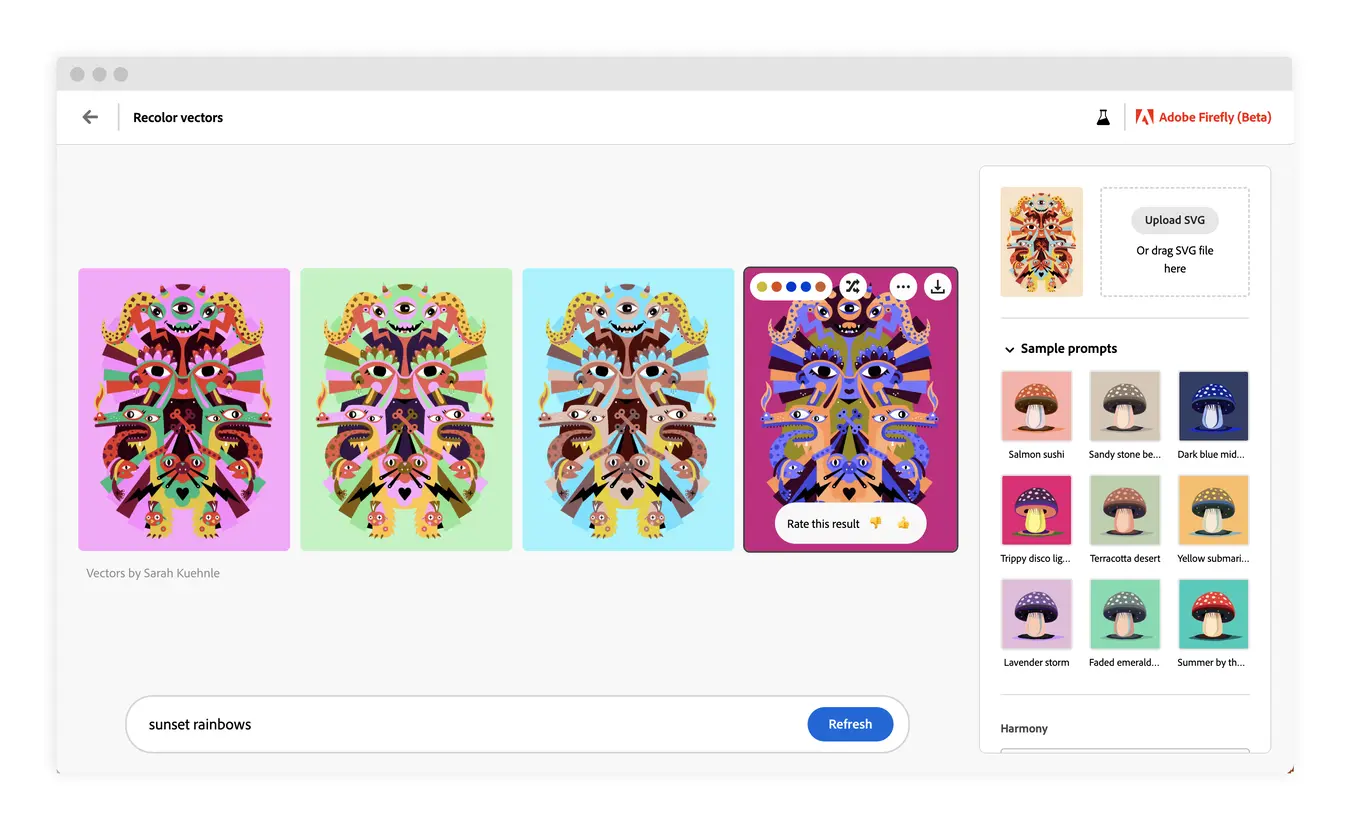
Adobe has been using AI to streamline complex or labor-intensive tasks for creative professionals. Photoshop and Lightroom have also received updates that improve automatic object selection, removing the need for manual outlining or masking. The Vector Recoloring feature is available for testing as part of the Firefly beta, but a full version release date has not been announced yet. This new feature is a great addition to Adobe Illustrator and is sure to make the lives of graphic designers much easier when it comes to color adjustments.

- Vector Graphic App
- Paid
- Proprietary
Related news
External links
- Introducing Vector Recoloring with Adobe FireflyAdobe Blog • Official source
- #AdobeFirefly Updates: Introducing Vector Recolor! 🎨Adobe YouTube Channel • Official source
- Adobe Illustrator’s new AI feature instantly switches the color palette of vector graphicsThe Verge
- Why Adobe Illustrator's AI Vector Recoloring Tool Is a Big Deal for DesignersMakeUseOf