The first 20 apps I install on a new Windows PC

Windows is bundled with scores of important and useful apps by default, much more than it had in its early days. There are still a lot of other apps I think are incredibly helpful or just really cool, while some third-party apps are essential for specific types of work. Here's a list of 20 of them I typically install before anything else on a new Windows PC.

David
David List by David , last updated 
Copy a direct link to this comment to your clipboard
  1. The browser is my main work platform as I personally rely on a number of work-critical web services. So the browser is the most important app for me and Chrome is my choice work tool. It's an easy way to carry over things like web bookmarks and login details and lets me easily get back up to speed with communications and work stuff when setting up a new PC. It's usually the first thing I install since I use it to download the rest.

    Cost / License

    • Free
    • Proprietary

    Application type

    Platforms

    • Mac
    • Windows
    • Linux
    • Android
    • iPhone
    • Chrome OS
    • Android Tablet
    • iPad
    • PortableApps.com
    Main Window
    Settings
    Incognito Mode
    +8
    Main View (Android)
  2. Once Chrome is installed, my next task is to get it configured with the main extension I use for work items. This is the uber safe variant of the popular Awesome Screenshot. It's fast, minimal and makes capturing web screenshots a breeze.

    Cost / License

    • Free
    • Open Source

    Application type

    Platforms

    • Online
    • Google Chrome
    Awesome Screenshot Minus screenshot 1
  3. I generally install Firefox Developer Edition as an alternative browser. It's handy to have around anytime problems come up in Chrome, I can easily try things out through Firefox to help isolate Chrome issues. The developer edition has lots of helpful tools built in for additional debugging too.

    Cost / License

    • Free
    • Open Source

    Application type

    Platforms

    • Mac
    • Windows
    • Linux
    • PortableApps.com
    Firefox Developer Edition screenshot 1
    Shapes Editor
    Master CSS Grid
    +2
    Fonts Panel
  4. After removing any pre-installed anti-malware software, I generally install Malwarebytes Anti-Malware as my go-to malware killer. It's just so much faster than the more popular but bulkier apps and has established itself as a trusty, key piece of security software.

    Cost / License

    • Freemium
    • Proprietary

    Platforms

    • Mac
    • Windows
    • Android
    • iPhone
    • Chrome OS
    • Android Tablet
    • iPad
    • Kindle Fire
    Malwarebytes Anti-Malware screenshot 1
    Malwarebytes Anti-Malware screenshot 1
    Malwarebytes Anti-Malware screenshot 2
    +8
    Malwarebytes Anti-Malware screenshot 3
  5. HijackThis is a super tiny download that's easily installed by just unzipping it in a folder. I usually install it in a folder near the hard drive root and let it sit there until it's needed.

    Cost / License

    • Free
    • Open Source

    Platforms

    • Windows
    • PortableApps.com
    HijackThis screenshot 1
  6. 7-Zip icon
     Like

    Windows works with ZIP files natively but not other formats like ARC or TAR archives. 7ZIP covers all the popular archive formats plus less common ones, but more importantly, it's much faster at extracting archives than Windows is by default.

    Cost / License

    • Free
    • Open Source

    Platforms

    • Mac
    • Windows
    • Linux
    • BSD
    • PortableApps.com
    • ReactOS
    Main Window
    Add to Archive
    Options
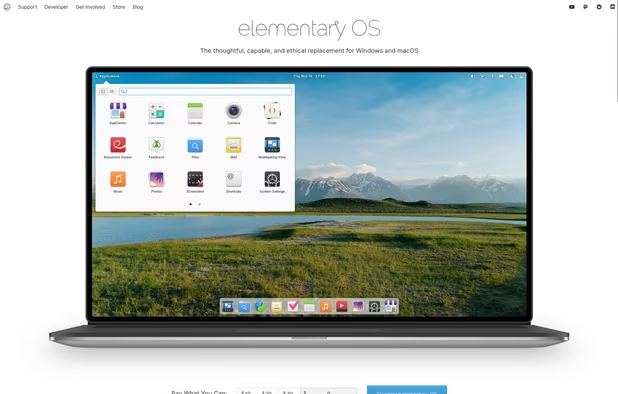
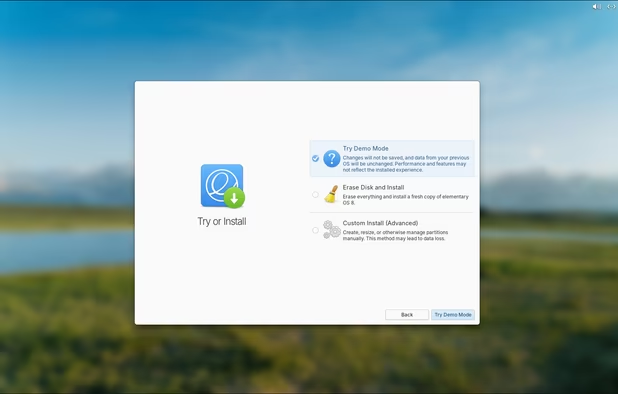
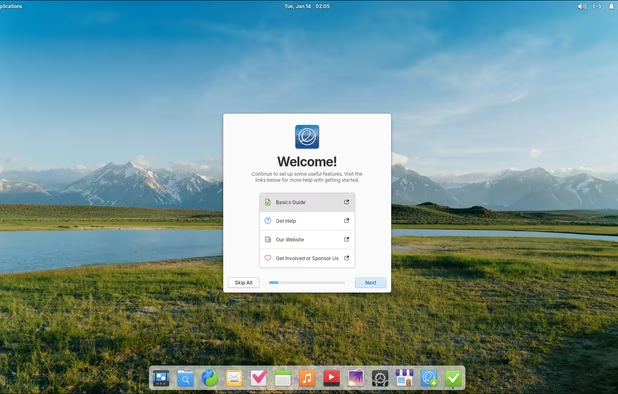
  7. I love dual-boot systems and it's easiest to install right at the start of a new PC. I usually install elementary OS, which serves as a backup system that allows access to the Windows files in case of malware or other issues. After install, I typically will install all the same apps from the Windows OS as well, sort of mirroring the Windows configuration on Linux.

    Cost / License

    • Free
    • Open Source

    Platforms

    • Linux
    Boot Screen
    Website
    Installation Screen from ISO
    +11
    Onboarding Window
  8. fish icon
     Like

    Fish greatly simplifies work in the terminal. The aesthetics and built-in color highlighted auto-completion are reason enough for me to rely on it and it's generally the first thing I install on elementary OS.

    Cost / License

    • Free
    • Open Source

    Application types

    Platforms

    • Mac
    • Windows
    • Linux
    • BSD
    • Rust
    fish screenshot 1
    fish screenshot 1
    fish screenshot 2
    +1
    fish screenshot 3
  9. Wine icon
     Like

    I like being able to run Windows apps right through Linux and WINE makes that relatively easy. It's one of the first apps I install on Linux (elementary OS in my case).

    Cost / License

    • Free
    • Open Source

    Application type

    Platforms

    • Mac
    • Linux
    • Android
    • Android Tablet
    • BSD
    • Flathub
    Wine screenshot 1
    Wine screenshot 1
    Wine screenshot 2
    +1
    Wine screenshot 3
  10. Totally unnecessary app, but I just love CRT's retro style. I use it to liven up the sometimes boring terminal.

    Cost / License

    • Free
    • Open Source

    Application type

    Platforms

    • Mac
    • Linux
    Cool Retro Term screenshot 1
    Cool Retro Term screenshot 1
    Cool Retro Term screenshot 2
  11. Atom icon
     Like

    I typically end up installing Atom a bit early on mainly due to the fact that it provides a sleek interface for working with various text files. I interact with lots of text files even while setting up a new PC.

    Cost / License

    • Free Personal
    • Open Source

    Application types

    Platforms

    • Mac
    • Windows
    • Linux
    • Chrome OS
    • BSD
    • Electron / Atom Shell
    Intro screen
    Command palette
    Choose from scores of community made themes
    +2
    Project view
  12. Inkscape icon
     Like

    Inkscape is an important work tool for myself, I'm just really accustomed to the keyboard shortcuts and workflow. I use it to create original designs, edit screenshots and for general purpose cropping of images.

    Cost / License

    • Free
    • Open Source

    Platforms

    • Mac
    • Windows
    • Linux
    • BSD
    • Snapcraft
    • Flathub
    • PortableApps.com
    • Haiku
    Inkscape screenshot 1
    Inkscape screenshot 1
    Inkscape screenshot 2
    +8
    Inkscape screenshot 3
  13. OBS is just plain awesome. It's totally free, cross-platform and makes it super easy to record screencasts. It's one of the last but more important apps I install. I use it for recording bugs to report software issues, for creating walk-throughs and tutorials and for game-play recordings.

    Cost / License

    • Free
    • Open Source

    Platforms

    • Mac
    • Windows
    • Linux
    • BSD
    • Snapcraft
    • Flathub
    • PortableApps.com
    • Steam
    • FreeBSD
    OBS Studio screenshot 1
    OBS Studio screenshot 1
    OBS Studio screenshot 2
    +8
    OBS Studio screenshot 3
  14. Kdenlive icon
     Like

    Video and screen recordings need editing and with its recent launch on Windows, kdenlive is my new go-to editor. It sports a commercial workflow that's intuitive and fast, and now works across platforms.

    Cost / License

    • Free
    • Open Source

    Platforms

    • Mac
    • Windows
    • Linux
    • BSD
    • KDE Plasma
    • Snapcraft
    • Flathub
    • Flatpak
    Logging
    Editing
    Audio
    +2
    Effects
  15. FL Studio icon
     Like

    Since I work with music and audio files on a commercial level, I need an adept DAW and FL Studio easily fills that need. I personally install both the desktop and mobile versions early on in my new PC setups.

    Cost / License

    • Paid
    • Proprietary

    Platforms

    • Mac
    • Windows
    • Android
    • iPhone
    • Android Tablet
    • HUAWEI AppGallery
    • iPad
    • Online
    FL Studio screenshot 1
    FL Studio screenshot 1
    FL Studio screenshot 2
    +3
    FL Studio screenshot 3
  16. Ocenaudio icon
     Like

    I do a lot with audio files and Ocenaudio being one of the fastest audio editors, I use it across Windows and Linux for the same, quick and intuitive workflow. It's free but easily compares with commercial wave editors and can be very useful even for those who don't work with audio professionally.

    Cost / License

    • Free
    • Proprietary

    Platforms

    • Mac
    • Windows
    • Linux
    Ocenaudio version 3.7.19 running on Windows with an audio file open.
    Ocenaudio version 3.7.19 running on Windows with no file open.
    Ocenaudio screenshot 2
    +4
    audio screenshot
  17. Construct 2 is a 2D game development tool and while I use it for game development, I often use it for prototyping ideas as well. For me, it's a helpful productivity tool that happens to have amazing game design features!

    Cost / License

    • Freemium
    • Proprietary

    Application type

    Platforms

    • Windows
    Construct 2 screenshot 1
    Construct 2 screenshot 1
  18. I love solitaire and Hardwood Solitaire is the very best solitaire game in my experience. The game helps me to clear my mind and regain focus on busy days. Plus it works great both on Windows and on Linux through WINE.

    Cost / License

    • Freemium
    • Proprietary

    Application type

    Platforms

    • Mac
    • Windows
    • Online
    • Android
    • iPhone
    • Android Tablet
    • iPad
    • Apple TV
    • Kindle Fire
    Hardwood Solitaire IV screenshot 1
    Hardwood Solitaire IV screenshot 1
    Hardwood Solitaire IV screenshot 2
    +3
    Hardwood Solitaire IV screenshot 3
  19. 0 A.D. icon
     Like

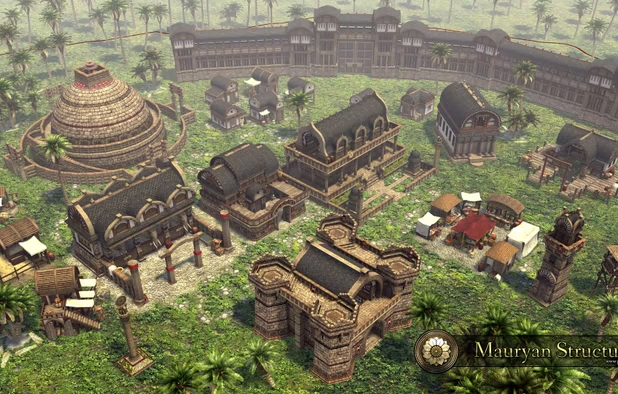
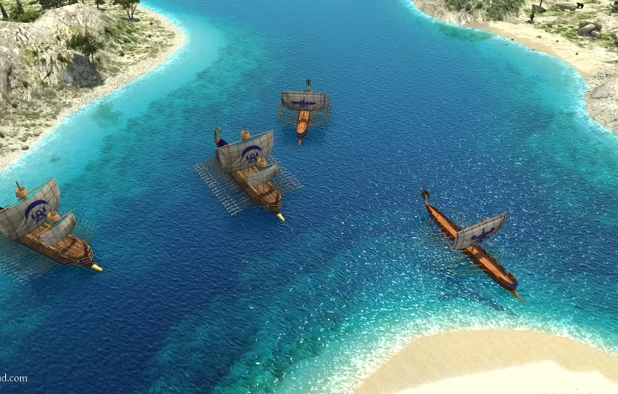
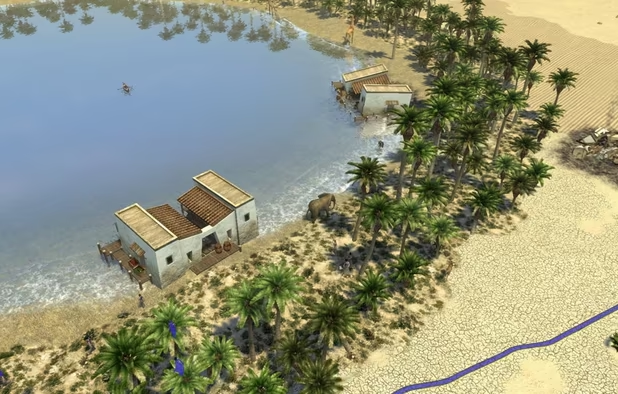
    I install this gem of a game on every new system. It's totally free and the game mechanics are very similar to Age of Empires II, one of my favorite games of all time. It also helps me to quickly test the limits of a system, through massive game maps with scores of enemy units. It's a game, so it's typically one of the last things I install.

    Cost / License

    • Free
    • Open Source

    Application types

    Platforms

    • Mac
    • Windows
    • Linux
    • BSD
    • Snapcraft
    • Flathub
    0 A.D. screenshot 1
    0 A.D. screenshot 1
    0 A.D. screenshot 2
    +5
    0 A.D. screenshot 3
  20. Steam icon
     Like

    What PC would be complete without the Steam gaming platform? Steam even has tons of games that work great on low-end PCs. I usually install it as a finishing touch, then the game downloads begin.

    Cost / License

    • Free
    • Proprietary

    Application types

    Platforms

    • Mac
    • Windows
    • Linux
    • Online
    • Android
    • iPhone
    • Android Tablet
    • Windows Phone
    • iPad
    • Flathub
    • SteamOS
    Steam Store
    Steam Community
    Library
    +1
    Big Picture Mode

Comments

Shaz Shah
0

This is a good list and 7-zip is a great shout out, as well as Firefox Developer Edition. Thanks for sharing fish. That's a new one for me to check out :-)

As usual, when enough time passes, some apps would need to be re-checked and whatnot. So here's my tuppence:

  • Depending on how paranoid you are, I'd probably go with another Chromium browser like Brave, or Ungoogled Chromium Browser
  • Atom is no more after Microsoft's acquisition of Github. So I'd probably suggest VSCode / VSCodium, or even Phoenix Code
  • If open source is not a requirement for free software, I'd suggest considering DaVinci Resolve. It's great for its colour correction, non-linear editing, and audio editing with it's built-in Fairlight engine. I do not need to do composition in my line of work, so haven't dabbled with the node-based approach.

Thanks for sharing.

Jeff Witty
0

BEST compression setting in 7z "on average" settings as: 7zip > ultra > LZMA2 > 1536mb > 273 > Solid

Jeff Witty
0

7z and paq are the 2 most advanced "common" compression containers, the xzip or zipx is "hit or miss" depending on whats being zipped (much like paq) 7z max everything, solid archive in peazip or 7zip is generally "most ideal" for speed/size and easy of sending someone else a 7z (they know what they are)

1 reply
David

Thanks for that helpful clarification. I use 7zip because it's fast and bloat free, I had no idea the compression was top notch.

JustanotherMalaysian
1

Thanks for 7Zip! I've always needed something like that. WinRAR is really bad (imo).

1 reply
David

Yeah 7Zip is great! There's also PeaZip, but 7Zip has been around longer. I recall reading that WinRAR's compression rates are still better than the rest. But I only use these tools for decompression myself.

Amir Serbilind
1

Nice! this list comes in handy

1 reply
David

Thanks! Glad you found it helpful! :)

Review by a new / low-activity user.
Gu