• Meld Studio icon
  • vMix icon
  • OBS Studio icon
  • Figma icon
  • Preview icon
  • +2

How I Podcast

podcastinggurupodcastingguru7 appsUpdated
Copy a direct link to this comment to your clipboard

All the tools and apps I use to produce podcasts and content for Podcasting Guru.

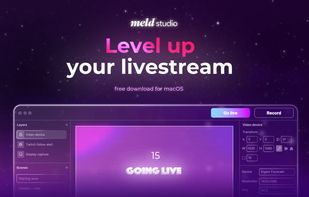
  1. Meld Studio is a robust live streaming tool that enables building creative, broadcast-quality live streams with consumer hardware.

    Cost / License

    • Free
    • Proprietary

    Application type

    Platforms

    • Mac
    Meld Studio screenshot 1
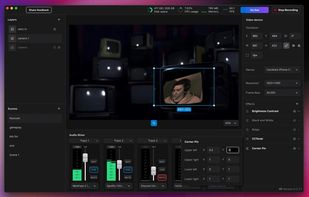
    Apply a corner pin effect for advanced layer transforms.
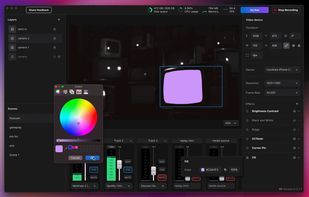
    Demonstrating the fill effect with a mask.
    +2
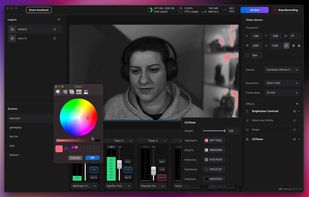
    CC Toner allows you pull distinct colors out of your scene for a nice noir effect.
    podcastinggurupodcastingguru’s note

    Recently found this one – Great choice for live podcasting or recording. The only one where my audio routing setup works out of the box.

  2. vMix icon
     Like

    vMix is a Software Video Mixer and Switcher that utilises the latest advances in computer hardware to provide live HD video mixing, a task previously only possible on expensive dedicated hardware mixers.

    Cost / License

    • Freemium
    • Proprietary

    Platforms

    • Windows
    vMix screenshot 1
    vMix screenshot 1
    vMix screenshot 2
    +2
    vMix screenshot 3
    podcastinggurupodcastingguru’s note

    Another option I go to for clients wanting to setup a video podcast production. Windows only, so I'll use OBS when on macOS or Linux.

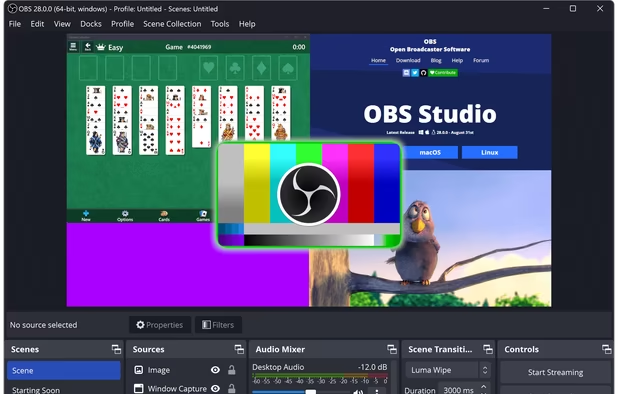
  3. Comprehensive software providing screen recording and live streaming on Mac, Windows, and Linux with powerful encoding support and unlimited scenes.

    Cost / License

    • Free
    • Open Source

    Application type

    Platforms

    • Mac
    • Windows
    • Linux
    • BSD
    • Snapcraft
    • Flathub
    • PortableApps.com
    • Steam
    • FreeBSD
    OBS Studio screenshot 1
    OBS Studio screenshot 1
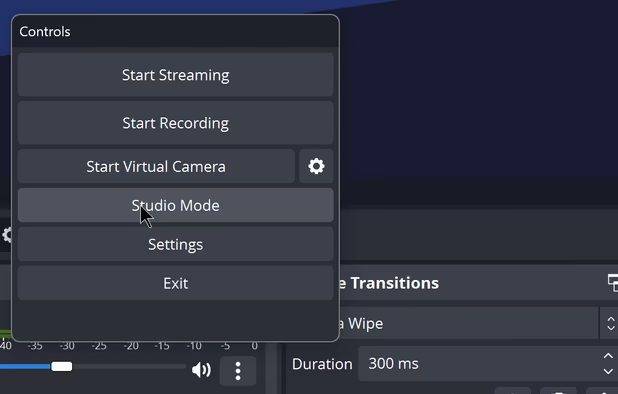
    OBS Studio screenshot 2
    +8
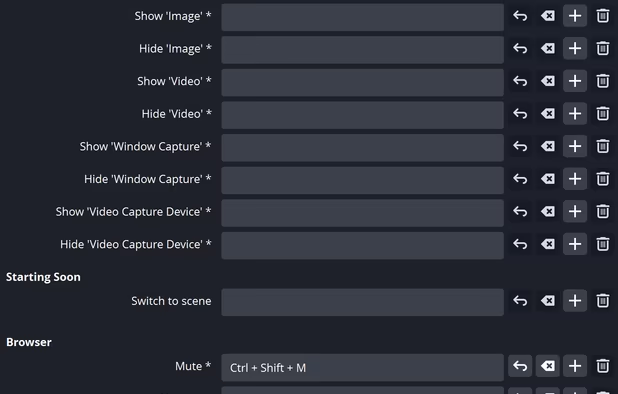
    OBS Studio screenshot 3
    podcastinggurupodcastingguru’s note

    I use this for some video podcast productions depending on what we're doing.

  4. Figma icon
     Like

    Web-based vector graphics editor with desktop apps, focusing on real-time collaboration and version control for UI/UX design.

    Cost / License

    • Freemium
    • Proprietary

    Application type

    Platforms

    • Mac
    • Windows
    • Online
    • Android
    • iPhone
    • Chrome OS
    • Android Tablet
    • iPad
    • Software as a Service (SaaS)
    ,
    ,
    Figma screenshot 2
    +4
    Figma screenshot 3
    podcastinggurupodcastingguru’s note

    Great for doing simple edits and creating episode art, etc.

  5. Preview icon
     Like

    Native macOS tool for viewing, annotating, and editing images and PDFs, offers cropping, resizing, markup tools, page rearrangement, and export to multiple formats.

    Cost / License

    • Free
    • Proprietary

    Application type

    Platforms

    • Mac
    • iPhone
    • iPad
    Preview screenshot 1
    Preview screenshot 1
    Preview screenshot 2
    +6
    Preview screenshot 3
    podcastinggurupodcastingguru’s note

    The new cmd+shift+k shortcut has the best quality background removal I've seen anywhere. And it's free.

  6. WordPress icon
     Like

    Open-source software for creating websites and blogs with an emphasis on accessibility, ease of use, performance, and security.

    Cost / License

    • Freemium
    • Open Source

    Application type

    Platforms

    • Mac
    • Windows
    • Linux
    • Online
    • Android
    • iPhone
    • Android Tablet
    • iPad
    • Self-Hosted
    • PHP
    • Cloudron
    • Google Chrome
    • Safari
    WordPress screenshot 1
    WordPress screenshot 1
    WordPress screenshot 2
    +1
    WordPress screenshot 3
    podcastinggurupodcastingguru’s note

    Fantastic and industry standard open source platform that I use to run my site.

  7. REAPER icon
     Like

    Cross-platform DAW for multitrack audio and MIDI recording, editing, mixing, mastering, scriptable automation, plugin support, and customizable workflow.

    Cost / License

    • Paid
    • Proprietary

    Application type

    Platforms

    • Mac
    • Windows
    • Linux
    • Flathub
    • Flatpak
    Default theme
    Full screen in Linux with inline MIDI editor using REA Evolution theme
    Analog Default theme
    +3
    Dark_Side_Imperial theme
    podcastinggurupodcastingguru’s note

    I use Reaper for recording podcast audio from multiple microphones.

It's super customizable so I've been able to customize it and automate numerous tasks to suit my workflow.

No comments so far, maybe you want to be first?