• Microsoft Teams icon
  • Zoom icon
  • Moodle icon
  • Edmodo LMS icon
  • Google Classroom icon
  • +3

Best apps and services to work and study from home

PaulPaul8 appsUpdated
Copy a direct link to this comment to your clipboard
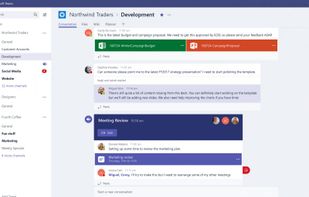
  1. Integrates seamlessly with Office 365 to centralize chat, files, and tools. Supports HD audio and video meetings, available across multiple platforms.

    Cost / License

    • Freemium
    • Proprietary

    Application type

    Platforms

    • Mac
    • Windows
    • Android
    • iPhone
    • Android Tablet
    • iPad
    • Android Auto
    • Microsoft 365
    • Apple Car Play
    Microsoft Teams screenshot 1
    Microsoft Teams screenshot 1
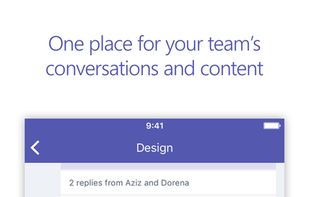
    Microsoft Teams screenshot 2
    +8
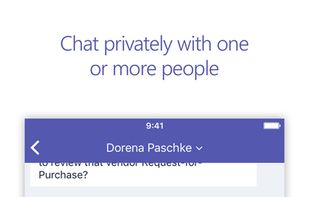
    Microsoft Teams screenshot 3
    PaulPaul’s note

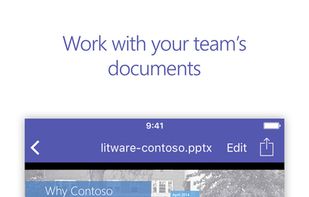
    Microsoft's complete, collaborative work platform provides everything needed for team-based communication. Its distinctive integration with Microsoft 365 icon Microsoft 365 for easy sharing of documents makes it one of the best options for groups already using the office suite. The platform is available for both businesses and education needs.

  2. Zoom icon
     Like

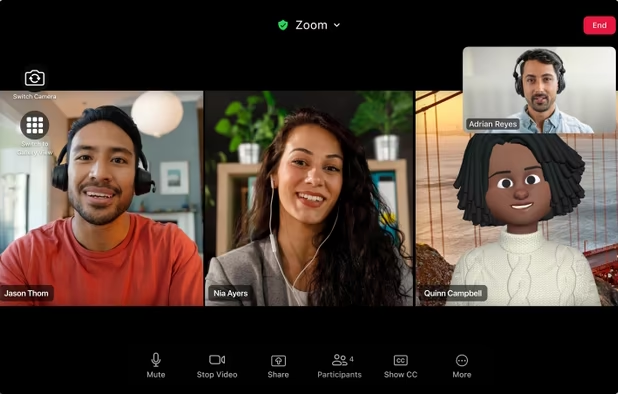
    Offers high-quality video meetings, screen sharing, team messaging, collaborative whiteboards, support for 100 participants, AI meeting summaries, and seamless device switching.

    Cost / License

    • Freemium
    • Proprietary

    Application type

    Platforms

    • Mac
    • Windows
    • Linux
    • Online
    • Android
    • iPhone
    • Android Tablet
    • iPad
    • Apple Watch
    • Snapcraft
    • Android Auto
    • Apple TV
    • Flathub
    • Samsung Galaxy Store
    • Android TV
    • Apple Car Play
    • Chocolatey
    Zoom screenshot 1
    Zoom screenshot 1
    Zoom screenshot 2
    +9
    Zoom screenshot 3
    PaulPaul’s note

    Similar to Microsoft Teams icon Microsoft Teams in communication capability but different in focus, ZOOM offers a cloud video conferencing service that makes it totally practical to conduct meetings online. It's an excellent choice for those who don't need Microsoft 365 icon Microsoft 365 integration and it works great for holding work meetings and conducting online classes.

  3. Moodle icon
     Like

    Moodle is an open source tool for creating online dynamic web sites for their students. To work, it needs to be installed on a web server somewhere, either on one of your own computers or one at a web hosting company.

    Cost / License

    • Free
    • Open Source

    Platforms

    • Mac
    • Windows
    • Linux
    • Online
    • Android
    • iPhone
    • Android Tablet
    • iPad
    • Self-Hosted
    • Cloudron
    Moodle Demosite Screenshot
    PaulPaul’s note

    Moodle lets you manage educational content through your own server totally for free or through a subscription-based cloud service. The LMS (learning management system) offers practically limitless features through its plugin ecosystem. This may require a bit of time in configuration but it's a powerful system for tech savvy educators or businesses needing flexibility.

  4. Edmodo is a social learning platform that provides a safe environment for students and teachers to connect and collaborate.

    Cost / License

    • Freemium
    • Proprietary

    Platforms

    • Windows
    • Online
    • Android
    • iPhone
    • Android Tablet
    • iPad
    • Software as a Service (SaaS)
    Edmodo LMS screenshot 1
    Edmodo LMS screenshot 1
    Edmodo LMS screenshot 2
    +5
    Edmodo LMS screenshot 3
    PaulPaul’s note

    A commercial LMS solution similar to Moodle icon Moodle, Edmodo makes it very easy for teachers to conduct class online through a familiar, social networking interface. It's not plugin-based like Moodle, which can make it a simpler system to work with.

  5. Google Classroom is your mission control for class. Create classes, distribute assignments, send feedback, and see everything in one place. Instant. Paperless. Easy.

    Cost / License

    • Free
    • Proprietary

    Platforms

    • Online
    • Android
    • iPhone
    • Chrome OS
    • Android Tablet
    • iPad
    Google Classroom screenshot 1
    Google Classroom screenshot 1
    Google Classroom screenshot 2
    +7
    Google Classroom screenshot 3
    PaulPaul’s note

    Another great option for educators, Google offers a fast, easy and free way to hold classes online. Unlike the other LMS services mentioned, this one simply isn't available for business use. That tends to make it easier to use, and being Google based makes it easier for many users to get started.

  6. Kahoot! icon
     Like

    Kahoot! is a classroom response system which creates an engaging learning space, through a game-based digital pedagogy.

    Cost / License

    • Freemium
    • Proprietary

    Application type

    Platforms

    • Online
    • Android
    • iPhone
    • Android Tablet
    • iPad
    Kahoot! screenshot 1
    Kahoot! screenshot 1
    PaulPaul’s note

    Kahoot! makes it super easy for educators to create fun and engaging quizzes that can be played with live interaction. The app uses a proven formula that students across the world have enjoyed and it's now available for both educational and business use.

  7. Prezi icon
     Like

    Design non-linear, visually engaging presentations using zooming canvases, collaborative tools, multimedia integration, analytics, and adaptive formatting.

    Cost / License

    • Freemium
    • Proprietary

    Application type

    Platforms

    • Mac
    • Windows
    • Online
    • iPhone
    • iPad
    Prezi screenshot 1
    Prezi screenshot 1
    Prezi screenshot 2
    +3
    Prezi screenshot 3
    PaulPaul’s note

    Presentations are a must for both work and school and Prezi fills that need with a super simple but very stylish way of presenting content. Easily create zooming and panning slideshows explaining class concepts or business matters.

  8. Genially icon
     Like

    Interactive visual communication tool offering stunning presentations, images, infographics, quizzes, and more, enriched with animations.

    Cost / License

    • Freemium
    • Proprietary

    Application type

    Platforms

    • Online
    • Software as a Service (SaaS)
    Welcome to our new and improved Editor!
    Choose from 1000s of resources (video, audio, buttons, graphs, gifs, images, etc.)
    And over 1100 templates. You can also start from scratch.
    +3
    Make anything you can dream.
    PaulPaul’s note

    Covering a broader base of presentation needs than services like Prezi icon Prezi, Genial.ly lets users create infographics, quizzes and other interactive content as well as slideshows.

No comments so far, maybe you want to be first?