Apps tagged with 'Qnap'

All apps in Apps tagged with 'Qnap' category. Use the filters below to narrow down your search. 
Copy a direct link to this comment to your clipboard
  1. SickGear icon
     7 likes

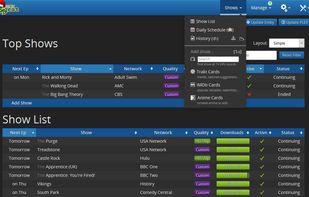
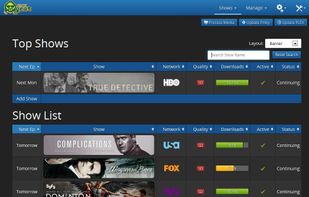
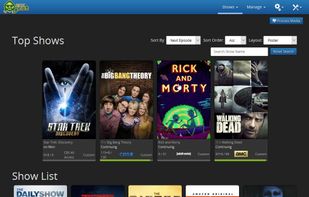
    SickGear has proven the most reliable and stable TV fork of the great Sick-Beard to fully automate TV enjoyment with innovation.

    Cost / License

    Application type

    Since

    • Since 2018 (updated Nov 2026)

    GitHub

    • GitHub stars: 805

    Platforms

    • Windows
    • Mac
    • Linux
    • Self-Hosted
    • Global
    Custom sections used to group shows
    Banner layout
    Poster layout
    +2
    Daily schedule "Day by Day" episode view layout
    7 alternatives
  2. FTPGrab icon
     3 likes

    FTPGrab is a CLI application written in Go to grab your files from a remote FTP or SFTP server to your NAS, server or computer. With Go, this app can be used across many platforms 🎲 and architectures.

    Cost / License

    • Free
    • Open Source

    Application type

    Since

    • Since 2017

    Platforms

    • Windows
    • Mac
    • Linux
    • FreeBSD
    • Self-Hosted
    • Docker
    • FR flagFrance
    • European Union flagEU
    FTPGrab screenshot 1
    FTPGrab screenshot 2
    5 alternatives
  3. Blobbackup icon
     2 likes

    Securely backup your computer to the cloud without compromising your privacy.

    Cost / License

    Application type

    Since

    • Since 2020 (updated Apr 2025)

    GitHub

    • GitHub stars: 290

    Platforms

    • Windows
    • Mac
    • Linux
    Blobbackup screenshot 1
    48 alternatives
  4. FilesToNAS backs up folders from your Android phone directly to your own NAS or SMB share — Synology, QNAP, a home server, or any SMB2/3 device on your network. There is no cloud service in between and no account to create.

    Cost / License

    • Freemium (Pay once)
    • Proprietary

    Application type

    Since

    • New

    Platforms

    • Android
    • NL flagNetherlands
    • European Union flagEU
    FilesToNAS screenshot 1
    FilesToNAS screenshot 2
    +1
    FilesToNAS screenshot 3
    3 alternatives