FilesToNAS icon
FilesToNAS icon

FilesToNAS

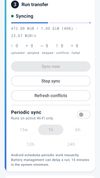
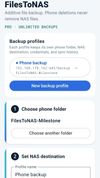
FilesToNAS backs up folders from your Android phone directly to your own NAS or SMB share — Synology, QNAP, a home server, or any SMB2/3 device on your network. There is no cloud service in between and no account to create.
FilesToNAS screenshot 1

Cost / License

  • Freemium (Pay once)
  • Proprietary

Platforms

  • Android
0likes
0comments
0articles

Features

Properties

  1.  Privacy focused

Features

  1.  Incremental Backup
  2.  Schedule Backup
  3.  No registration required
  4.  Multiple Account support
  5.  Automatic Backup
  6.  Selective Synchronization
  7.  No Tracking
  8.  File Sync

FilesToNAS News & Activities

Highlights All activities

Recent activities

FilesToNAS information

  • Developed by

    NL flagMartnl
  • Licensing

    Proprietary and Freemium product.
  • Pricing

    One time purchase (perpetual license) ranging between $5 and $7 + free version with limited functionality.
  • Alternatives

    3 alternatives listed
  • Badge

    Get an embeddable badge for FilesToNAS
  • Supported Languages

    • English

AlternativeTo Categories

Backup & SyncNetwork & Admin
FilesToNAS was added to AlternativeTo by martnl on and this page was last updated .
No comments or reviews, maybe you want to be first?

What is FilesToNAS?

FilesToNAS backs up folders from your Android phone directly to your own NAS or SMB share — Synology, QNAP, a home server, or any SMB2/3 device on your network. There is no cloud service in between and no account to create.
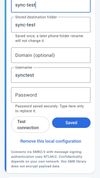
Backups are additive: new and changed files are uploaded, and files already on the NAS are never deleted automatically. Uploads are written to a temporary file first and renamed atomically once complete, so an interrupted transfer never leaves a half-written file behind.

Free tier includes one profile with manual sync. Pro is a one-time purchase (no subscription) that adds multiple profiles, automatic periodic sync over Wi-Fi, and NAS presets for Synology and QNAP.