Apps tagged with 'PDF to Audio'

All apps in Apps tagged with 'PDF to Audio' category. Use the filters below to narrow down your search. 
Copy a direct link to this comment to your clipboard
  1. Speechify icon
     7 likes

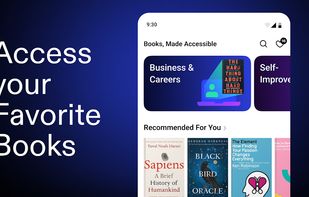
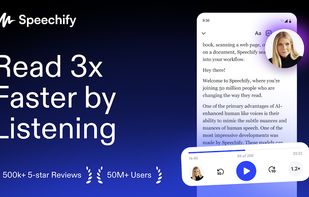
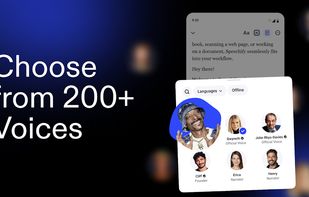
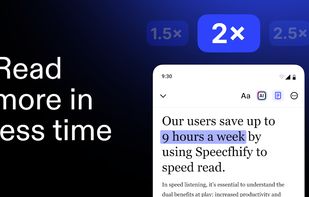
    Converts digital and printed text to speech with natural voices, adjustable speed, cross-device syncing, offline playback, and multiple voice options.

    Cost / License

    • Freemium
    • Proprietary

    Application type

    Since

    • Since 2018

    Platforms

    • Mac
    • Chrome OS
    • Android
    • iPhone
    • iPad
    • Android Tablet
    • US flagUnited States
    Speechify screenshot 1
    Speechify screenshot 1
    Speechify screenshot 2
    +5
    Speechify screenshot 3
    129 alternatives
  2. DocstoAudio icon
     1 like

    DocsToAudio converts PDF, EPUB, DOCX, and TXT files into MP3 or M4B audiobooks using AI voices — or your own cloned voice.

    Cost / License

    • Freemium
    • Proprietary

    Application type

    Since

    • Since 2026

    Platforms

    • Online
    • Software as a Service (SaaS)
    DocsToAudio overview — AI document-to-audio conversion and voice cloning.
    Upload PDF, EPUB, DOCX, or TXT files for audio conversion.
    Select document chapters and review the estimated listening time.
    +5
    Review and edit extracted text before converting it to audio.
    4 alternatives
  3. Abogen icon
     2 likes

    Abogen is a powerful text-to-speech conversion tool that makes it easy to turn ePub, PDF, or text files into high-quality audio with matching subtitles in seconds. Use it for audiobooks, voiceovers for Instagram, YouTube, TikTok, or any project that needs natural-sounding...

    Cost / License

    • Free
    • Open Source (MIT)

    Application type

    Since

    • Since 2025

    Platforms

    • Windows
    • Mac
    • Linux
    • Docker
    • Python
    Abogen screenshot 1
    Abogen screenshot 1
    Abogen screenshot 2
    +1
    Abogen screenshot 3
    8 alternatives
  4. Oration icon
     1 like

    Convert complex PDFs into accessible audiobooks - both the full text and generated summaries, enabling a more dynamic and efficient way of consuming academic and scientific literature.

    Cost / License

    • Paid
    • Proprietary

    Since

    • Since 2024

    Platforms

    • Online
    • iPhone
    • US flagUnited States
    Oration screenshot 1
    Oration screenshot 1
    Oration screenshot 2
    +3
    Oration screenshot 3
    7 alternatives
  5. Frateca icon
     2 likes

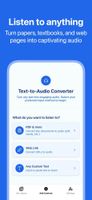
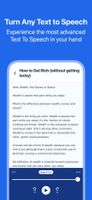
    Frateca: A cutting-edge text-to-speech app that transforms reading into a seamless experience with amazingly natural voices.
    Cost / License

    • Free
    • Proprietary

    Application type

    Since

    • Since 2025

    Platforms

    • Android
    • iPhone
    • iPad
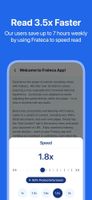
    Frateca screenshot 1
    Frateca screenshot 2
    Frateca screenshot 3
    77 alternatives
  6. Lyraboo icon
     3 likes

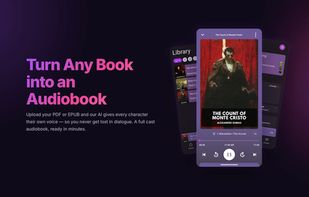
    An Android audiobook app that narrates your own EPUB, PDF and TXT books with a full cast, giving every character a distinct AI voice.

    Cost / License

    • Freemium
    • Proprietary

    Application type

    Since

    • New

    Platforms

    • Android
    • UA flagUkraine
    Lyraboo screenshot 1
    The player: a converted book playing, with chapter progress, time remaining and standard transport controls.
    Full-cast narration — every character in the book is given a distinct voice, so dialogue stays easy to follow.
    +4
    The library, with books queued, still processing and part-listened, plus a mini player for the current chapter.
    15 alternatives
  7. VoxAxis icon
     1 like

    Scans printed books and documents with the iPhone camera, runs OCR on the pages, merges them into one document and reads the whole thing aloud in a natural voice.

    Cost / License

    • Freemium
    • Proprietary

    Application type

    Since

    • New

    Platforms

    • iPhone
    • JP flagJapan
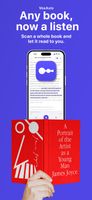
    Scan a paper book and let it read to you.
    Scan many pages at once and merge them into one document.
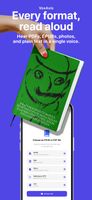
    Reads PDF, EPUB, photos and plain text in a single voice.
    11 alternatives
  8. Speaktor icon
     Like

    Speaktor is an advanced AI text-to-speech and voiceover generation tool that converts written text into natural-sounding speech in over 50 languages. Designed for users across various sectors, Speaktor enhances content accessibility and engagement through its diverse features.?.


    Cost / License

    • Freemium
    • Proprietary

    Application type

    Since

    • Since 2025

    Platforms

    • Online
    • Software as a Service (SaaS)
    • Android
    • iPhone
    Speaktor's Homepage
    32 alternatives
  9. PageListener turns your own PDFs into audiobooks for $2.99 / £2.99 a month, a fraction of the price of most reading apps, with a free tier to try it. It's for people who have long documents to get through and not enough hours sitting still to read them: a course manual...

    Cost / License

    • Freemium
    • Proprietary

    Application type

    Since

    • New

    Platforms

    • Online
    • Software as a Service (SaaS)
    • GB flagUnited Kingdom
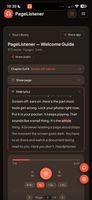
    Words highlight as they are spoken, with the original page alongside.
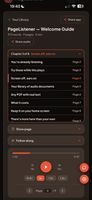
    Chapters detected automatically from the document's own structure.
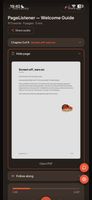
    The PDF page turns in sync with the audio... open it any time to check a table,
diagram or image while you listen.
    5 alternatives
  10. Transform PDFs into professional narrated videos in minutes. AI-powered scripts, natural voices, 100% browser-based. No account needed.

    Cost / License

    • Freemium
    • Proprietary

    Application type

    Since

    • Since 2026

    Platforms

    • Online
    • Software as a Service (SaaS)
    • TW flagTaiwan
    A 7-step workflow: Upload, Duration, Scripts, Voice, Payment, Processing, and Download. Upload PDF (up to 50MB) and optionally a reference article to improve script accuracy. Output: 1080p MP4, 16:9 or 9:16 aspect ratio. Free trial: 2 slides. No account registration or subscriptions required.
    Recover interrupted sessions using your session ID or payment transaction ID. SlideSpeak resumes from the last checkpoint. Files are stored locally in your browser for 7 days. Recovery requires the same browser and device.
    Preview your finished video with subtitles before downloading. Download MP4 and SRT files separately. View slide count, audio count, and character count. A processing ID is provided for support and session recovery. Slides keep their original language while narration can be in a different language.
    21 alternatives