VoxAxis icon
VoxAxis icon

VoxAxis

Scans printed books and documents with the iPhone camera, runs OCR on the pages, merges them into one document and reads the whole thing aloud in a natural voice.
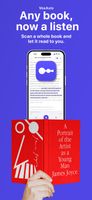
Scan a paper book and let it read to you.
Scan many pages at once and merge them into one document.
+1
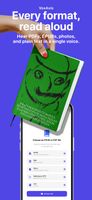
Reads PDF, EPUB, photos and plain text in a single voice.

Cost / License

  • Freemium (Pay once or Subscription)
  • Proprietary

Application type

Platforms

  • iPhone  Requires iOS 17.0 or later.
1like
0articles
Save

Features

  1.  No registration required
  2.  Ad-free
  3.  Text to Speech
  4.  OCR
  5.  Mobile Scanner
  6.  Dark Mode
  7.  Read Aloud
  8.  Scan documents

VoxAxis News & Activities

Highlights All activities

Recent activities

VoxAxis information

  • Developed by

    JP flagHAJIME MAEDA
  • Licensing

    Proprietary and Freemium product.
  • Pricing

    One time purchase that costs $10, and / or subscription that costs $4 per month + free version with limited functionality.
  • Alternatives

    5 alternatives listed
  • Badge

    Get an embeddable badge for VoxAxis
  • Supported Languages

    • English
    • Japanese
    • Korean
    • German
    • French
    • Italian
    • Spanish
    • Portuguese
    • Russian
    • Chinese

AlternativeTo Categories

Office & Productivity, Photos & Graphics, News & Books

Apple AppStore

  •   Updated 
  •   0 avg rating
View in AppStore
VoxAxis was added to AlternativeTo by Hajime-Maeda on and this page was last updated .

No comments or reviews, maybe you want to be first?

Official Links

What is VoxAxis?

VoxAxis turns printed paper into audio on an iPhone. Point the camera at a book, a textbook, a stack of handouts or your own notes, and scan the pages one after another. VoxAxis runs OCR on each page, merges the scanned pages into a single document, and reads the whole thing aloud in a natural voice, from the first page to the last.

It is built around the whole job rather than one step of it. Scanning, text recognition, merging and playback all happen in the same app, so there is no exporting text out of an OCR app and pasting it into a separate reader.

Besides the camera it opens PDF, EPUB, Word, Markdown, RTF and plain text, and it can fetch free public domain books directly from Project Gutenberg, Wikisource and Aozora Bunko.

Other things it does:

Handles vertical Japanese text and multi column layouts. When reading a PDF it leaves out headers, footers, page numbers, figures and tables. Runs OCR on scanned PDFs that carry no text layer. Keeps the playback position for every document separately. Has a pronunciation dictionary, so a name or a technical term only needs correcting once. Lets you set the speed and the voice. Has display settings for dyslexic readers, including letter spacing, line height and type size. Has tags and folders, a share sheet extension, a home screen widget, and backup to your own iCloud account. Runs in English, Japanese, Korean, Traditional Chinese, German, French, Italian, Spanish, Portuguese and Russian.

The free tier covers a weekly allowance of listening time and scanned pages. A one time purchase or a subscription raises or removes those limits. Every tier has the same features.