Apps tagged with 'opds-library'

All apps in Apps tagged with 'opds-library' category. Use the filters below to narrow down your search. 
Copy a direct link to this comment to your clipboard
  1. Cool Reader  icon
     66 likes

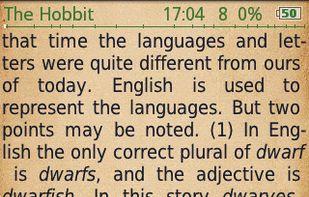
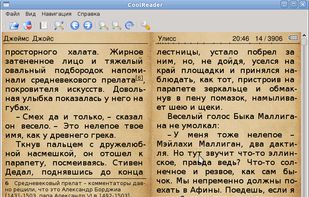
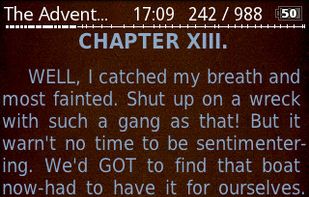
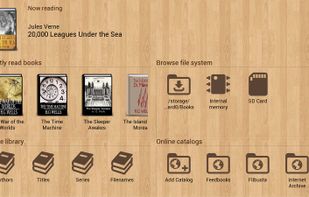
    Cool Reader is fast and small cross-platform XML/CSS based eBook reader for desktops and handheld devices. Understands a number of text document formats, suppurt OPDS (in new ui-opengl version). Fully customizable palette, text reformatting with any font size, font...

    Cost / License

    • Free
    • Open Source

    Application types

    Alerts

    • Discontinued

    Platforms

    • Windows
    • Linux
    • Android
    • Android Tablet
    • Haiku
    Android version
    Desktop version
    Cool Reader  screenshot 2
    +3
    new ui opengl
    99 alternatives
  2. Marvin icon
     2 likes

    Marvin is an eBook reader for people who are passionate about their books. Get Marvin and find out why readers are calling it "the most brilliant eReader to come out in a long time"

    Cost / License

    • Freemium
    • Proprietary

    Application types

    Platforms

    • iPhone
    • iPad
    Marvin screenshot 1
    Marvin screenshot 1
    Marvin screenshot 2
    +7
    Marvin screenshot 3
    50 alternatives
  3. BicBucStriim icon
     3 likes

    BicBucStriim streams digital books - it provides web-based access to your e-book collection. BicBucStriim is a simple PHP application that reads the Calibre data and publishes it in HTML form and as OPDS book catalog.

    Cost / License

    • Free
    • Open Source

    Application type

    Alerts

    • Discontinued

    Platforms

    • Self-Hosted
    BicBucStriim just displays what is stored in your Calibre library. The start page lists the most recent books in your library, assuming that they are new and therefore need to be read:
    In addition to that the main menu shows four more ways to navigate through your library: by book title, author name, book tag or series name. All sections work in the same way, you either scroll through the listing or search by entering something in the search bar at the top.
    Once a book is selected, the app shows a details page with title, author information, tags and series if available, and of course the book description. In the download section of that page there are download links for all book formats stored in the Calibre library. Click on a link and the book file will be immediately sent to your device.
    +1
    Traditionally Calibre is focussed on books, the titles have detail pages and are visualized by their cover images. Authors existed only as names. BicBucStriim tries to chnage that and adds the possibilit to add metadata to authors. The author apges aren’t restricted anymore to listing the books for an author, but can also contain:

author image
links to blogs and other author-related web pages
    6 alternatives