Cross-platform multimedia framework performing decoding, encoding, transcoding, muxing, demuxing, streaming, filtering, and playback for nearly all media formats.
- Global



+1


4.7
Excellent19 ratings


Cross-platform multimedia framework performing decoding, encoding, transcoding, muxing, demuxing, streaming, filtering, and playback for nearly all media formats.

This is a tool to analyze media files. It can give you information about the audio and video format, video resolution, duration, etc.
 Netherlands
 EU


GSpot is a Windows-based freeware designed to identify codecs used in video files. In addition, the application checks if the required DirectShow filters or Video for Windows codecs are installed and configured for proper playback.
 United States


A simple GUI for MediaInfo, an open source tool for displaying technical information about media files.
 GermanyEU


AVInaptic is a program with a simple GUI (GTK +2) that analyzes file type AVI, ASF / WMV, MP4/MOV, Matroska (MKV), OGG, OGM, FLV, and shows a lot of information about technical characteristics (useful in predicting if the movie will be read from your portable player).
 ItalyEU


Displays all sort of technical information from any media file. You can filter data to compare, print and export information.



A user-friendly interface that simplifies the power of FFmpeg. It's designed for fast and efficient conversion of video and audio files.
 Brazil
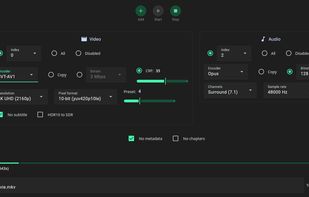

With "Media Info+" app you can immediately extract all possible Media Details Information from every Video, Audio or Music file in your Device.


MediaTab provides you information of your multimedia files, like MediaInfo does, but without the need to launch an application. MediaTab use the power of MediaInfo integrating it on your operating system.
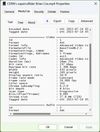
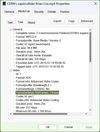


Moo0 Video Info is a very easy tool which can dispaly each video / audio file's information.
 Japan


VideoSpec is a free AppleScript studio App (Xcode 3.0 on Leopard) making use of MediaInfo CLI, MPlayer, FFmpeg, qt_tools and AtomicParsley binaries to display detailed informations on video files. Compatibility of analyzed media file with QuickTime Player v.7.6.


Invisor displays technical information about your video, audio and photo files with ability to compare collected data.



The Power of MediaInfo, Beautifully Reimagined for macOS. A native macOS front-end for MediaInfo. Read the metadata inside any video, audio or image file, compare two files side by side, and get plain-language explanations of the fields.
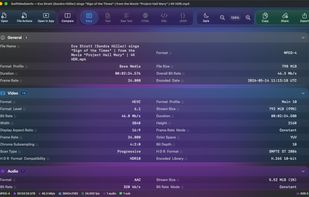
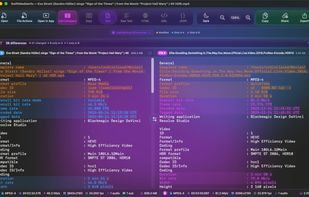
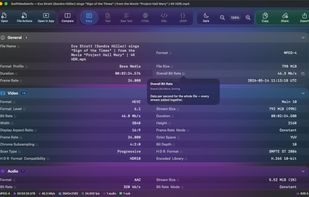



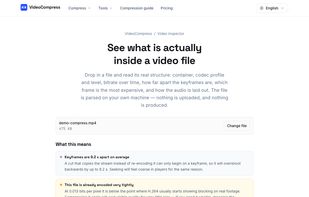
A video toolkit that runs entirely on your own device — inspect a file's codec and bitrate, or compress, trim and convert it, with nothing ever uploaded to a server.
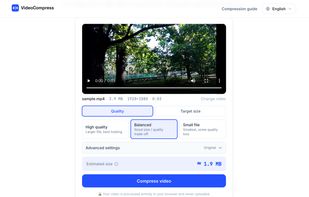
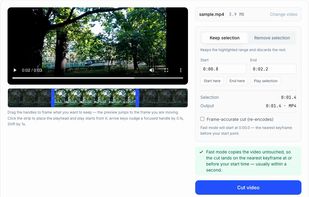

 Video Compression