Apps tagged with 'Markdown Table Editor'

All apps in Apps tagged with 'Markdown Table Editor' category. Use the filters below to narrow down your search. 
Copy a direct link to this comment to your clipboard
  1. Typora icon
     334 likes

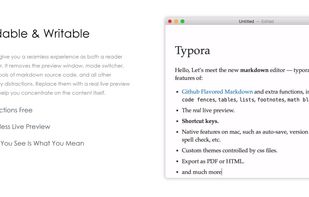
    A cross-platform Markdown editor providing real-time preview, Focus & Typewriter modes, and support for multiple export formats.

    Cost / License

    • Paid
    • Proprietary

    Application type

    Since

    • Since 2015

    Platforms

    • Windows
    • Mac
    • Linux
    • Visual Studio Code
    • Electron
    • CN flagChina
    Typora screenshot 1
    Typora screenshot 1
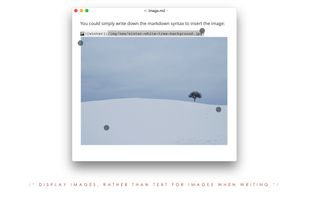
    Typora screenshot 2
    +4
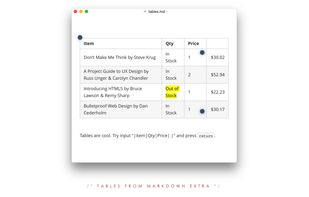
    Typora screenshot 3
    253 alternatives
    4.5
    Excellent36 ratings
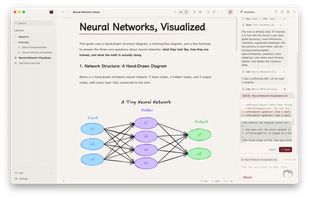
  2. Folding Mirror is a Markdown editor for macOS, featuring live preview which renders what you type in place. When the caret is moved onto a line, it folds back into its Markdown source, allowing you to edit the original content instead of a representation.

    Cost / License

    • Paid
    • Proprietary

    Application type

    Since

    • New

    Platforms

    • Mac
    • CN flagChina
    The assistant proposes an edit and writes nothing until you approve the diff. It runs on your own API key.
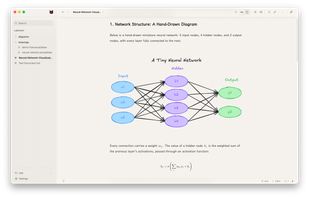
    An Excalidraw drawing and LaTeX math rendered inside the document, both editable in place.
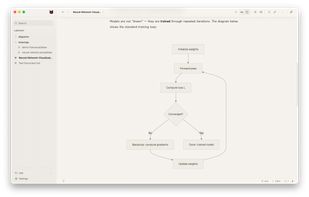
    A Mermaid flowchart, rendered from the fenced code block that is still sitting underneath it.
    +3
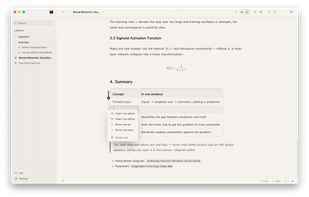
    Tables are edited as real tables. Add, move or delete a column from the row menu, never touching pipe syntax.
    7 alternatives
  3. Nabu icon
     Like

    Transform your Markdown into beautifully formatted PDFs and Word documents. Native macOS app with zero external dependencies.

    Cost / License

    • Paid
    • Proprietary

    Since

    • Since 2026

    Platforms

    • Mac
    Nabu screenshot 1
    Nabu screenshot 1
    Nabu screenshot 2
    +2
    Nabu screenshot 3
    8 alternatives
  4. Our Markdown engine supports the standard syntax and it has been extended to include very useful extra markups items (MultiMarkdown): tables, footnotes, lists, images, links, highlight, strikethrough, superscript, MathML and more.

    Cost / License

    • Paid
    • Proprietary

    Since

    • Since 2017

    Platforms

    • iPhone
    • iPad
    Markdown Markury screenshot 1
    Markdown Markury screenshot 1
    Markdown Markury screenshot 2
    +7
    Markdown Markury screenshot 3
  5. Antalogy icon
     1 like

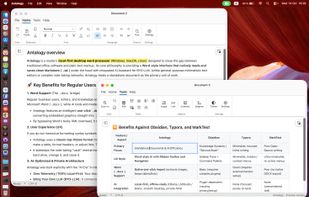
    Native local-first Markdown word processor with a Word-style ribbon, .docx import/export, Mermaid diagrams, and optional OpenAI-compatible LLM chat.

    Cost / License

    • Free
    • Proprietary

    Application type

    Since

    • New

    Platforms

    • Windows
    • Mac
    • Linux
    • AM flagArmenia
    Word-like Ribbon and multi-window word processor UI for Markdown, with a table editor
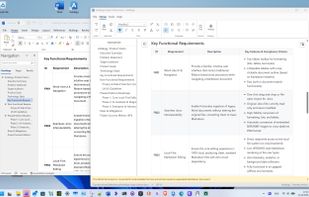
    Importing a .docx file to Markdown
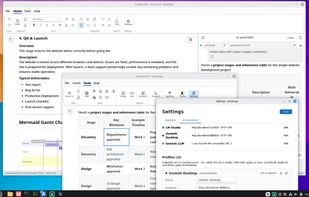
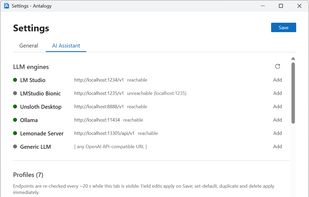
    Integrated AI Assistant with connectors to LLM engines and providers
    +2
    Built-in integrations with popular local LLM engines and OpenAI API-compatible services
    40 alternatives
  6. TableFlip icon
     Like

    TableFlip helps you get your table finished in no time: thanks to auto-growing tables, you don't even need to adjust the table size when you tab around the table! TableFlip is fast to boot and use. You don’t even have to speak Markdown to make use of its text-based tables!

    Cost / License

    • Paid
    • Proprietary

    Since

    • Since 2016

    Platforms

    • Mac
    • DE flagGermany
    • European Union flagEU
    TableFlip screenshot 1
    TableFlip screenshot 1
    6 alternatives
  7. Tabëla icon
     Like

    Tabëla is a very simple GNOME application to format tables coming from spreadsheets or CSV/TSV files into HTML or Markdown.

    Cost / License

    • Free
    • Open Source (MIT)

    Since

    • Since 2025

    Platforms

    • Linux
    • Flathub
    • Flatpak
    Tabëla screenshot 1
    Tabëla screenshot 1
    Tabëla screenshot 2
    1 alternative