

Folding Mirror
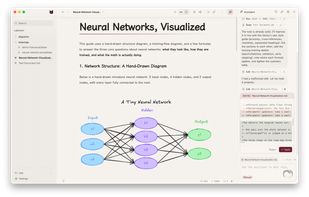
Folding Mirror is a Markdown editor for macOS, featuring live preview which renders what you type in place. When the caret is moved onto a line, it folds back into its Markdown source, allowing you to edit the original content instead of a representation.
Features
Properties
- Distraction-free
- Privacy focused
- Support for Themes
- Local-First
Features
- Live Preview
Support for LaTeX
- Dark Mode
- WYSIWYG Support
- Ad-free
- File Versioning
Git Support
- No Tracking
- Works Offline
- Full-Text Search
- No registration required
- Automatic Backup
- Hierarchical Structure
- Syntax Highlighting
- Support for MarkDown
- Mermaid support
- Graph view
Folding Mirror News & Activities
Recent activities
- whyubel1eve rated Folding Mirror
- whyubel1eve liked Folding Mirror
- whyubel1eve added Folding Mirror
- Maoholguin updated Folding Mirror
whyubel1eve added Folding Mirror as alternative to Typora, MarkText, Zettlr and iA Writer
Folding Mirror information
What is Folding Mirror?
Folding Mirror is a Markdown editor for macOS, featuring live preview which renders what you type in place. When the caret is moved onto a line, it folds back into its Markdown source, allowing you to edit the original content instead of a representation. The editor can be previewed on the website before downloading.
What differentiates Folding Mirror from other WYSIWYG Markdown editors is its built-in features within the document. It includes drawings, diagrams, a link graph, and an AI assistant. These are integral parts of the editor, not just add-on plugins. Meanwhile, the notes remain as standard .md files in your chosen folder, without requiring a database or an account.
The AI assistant reads and edits files in your notes folder, connects to MCP servers, and displays every write as an approval card before it happens. It operates on your own API key, with no subscription or server involved.
The editor also includes Excalidraw drawings embedded in documents and saved as separate files, Mermaid diagrams rendered inline, a graph view of the links between notes, version history backed by git in its own location, and tables edited in place as real tables. You can add, move or delete rows and columns from a menu on the table itself. There's also a '/' menu that inserts headings, tables, drawings, diagrams, code blocks and math without leaving the keyboard.


